Loading
Get Account Transfer (acat) Form - Bolton Global Capital, Inc.
How it works
-

Open form follow the instructions
-

Easily sign the form with your finger
-

Send filled & signed form or save
How to fill out the Account Transfer (ACAT) Form - Bolton Global Capital, Inc. online
This guide provides an easy-to-follow process for completing the Account Transfer (ACAT) Form for Bolton Global Capital, Inc. Whether you are transferring assets or switching accounts, this guide ensures your experience is clear and manageable, even for those with minimal legal background.
Follow the steps to complete the form with ease.
- Press the ‘Get Form’ button to access the form and open it in your chosen editor.
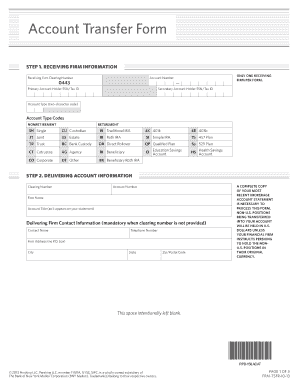
- Input the receiving firm information, including your Pershing account number, Social Security Number (SSN) or Tax Identification Number (TIN), and, if applicable, the SSN or TIN for any joint account holders. Additionally, identify your account type using the appropriate two-character code.
- Provide the delivering account information by entering the clearing firm number or, if absent, the delivering firm's name along with a contact person and their telephone number. Include the original account number and account title as it appears on your brokerage account statement.
- Select the transfer type by checking the appropriate box to indicate whether you’re requesting a full or partial transfer. If applicable, indicate any specific conditions regarding asset liquefaction.
- If applicable, detail any partial transfers, mutual funds, or liquidation instructions. Ensure to check the dividend and capital gain options for mutual fund transfers.
- Review retirement plan restrictions and certifications. Specifically, if you are over the age of 70½, be aware of required minimum distributions (RMD) before transferring assets and ensure proper signatures are obtained for custodians.
- Sign and date the form, ensuring the signature is guaranteed within 90 days of receipt. Attached the most recent brokerage account statement to facilitate the transfer.
- Once all information has been completed and verified, save changes and ensure to download or print the final document for submission.
Begin the transfer process by filling out your document online today!
Creating your Phone logo Start the simple logo generation process by inputting your company name, slogan, and genre of business. Preview the generated logo designs, and select the logo with your favourite design.
Industry-leading security and compliance
US Legal Forms protects your data by complying with industry-specific security standards.
-
In businnes since 199725+ years providing professional legal documents.
-
Accredited businessGuarantees that a business meets BBB accreditation standards in the US and Canada.
-
Secured by BraintreeValidated Level 1 PCI DSS compliant payment gateway that accepts most major credit and debit card brands from across the globe.