Loading
Get Shire Cares
How it works
-

Open form follow the instructions
-

Easily sign the form with your finger
-

Send filled & signed form or save
How to fill out the Shire Cares online
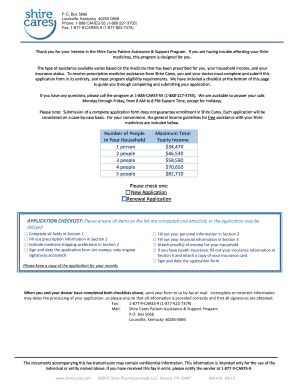
The Shire Cares Patient Assistance & Support Program offers help to individuals who may have difficulty affording prescribed Shire medicines. This guide will provide clear instructions on how to fill out the online form to apply for assistance.
Follow the steps to complete your application successfully.
- Click ‘Get Form’ button to access the Shire Cares application form and open it in your preferred editor.
- Start with Section 1, where the treating physician must provide their information. This includes their name, DEA number, National Provider ID, facility details, and contact information.
- In Section 2, the physician will fill out the prescription information, including the patient's name, date of birth, diagnosis, medication prescribed, dosage, and administration details. Make sure this section includes the shipping preference.
- Proceed to Section 3, where the patient should input their personal information such as name, date of birth, contact details, and social security number. They will also indicate their legal residency status.
- In Section 4, the patient is required to detail their financial information. This includes household composition and total combined annual income. Attach necessary income proof documents, such as a tax return or pay stubs.
- Enter Section 5 to provide insurance information. If applicable, the patient should indicate their plan details and provide copies of their insurance cards. Note any denials of coverage for the prescribed medication.
- Section 6 requires the patient to authorize the sharing of their information with Shire Pharmaceuticals LLC. This section must be signed by the patient or, if necessary, a representative.
- Review the entire application for accuracy and completeness. Make sure all required signatures are present. Once satisfied, save the form, and then you can choose to download, print, or share it.
Begin your application process now by completing the Shire Cares form online.
They'll need to sign a Photo Permission Release before you can sell any photo rights with them in it. Be sure to let them know that once they sign, it's a done deal. You won't be able to take back a customer's royalty-free photo after you have already sold it.