Loading
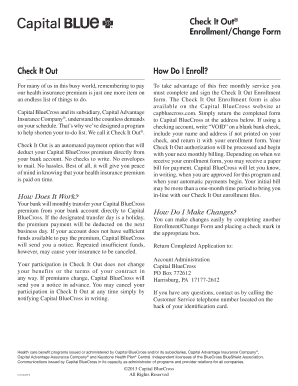
Get Check It Out Enrollment Application - Capital Blue Cross
How it works
-

Open form follow the instructions
-

Easily sign the form with your finger
-

Send filled & signed form or save
How to fill out the Check It Out Enrollment Application - Capital Blue Cross online
Completing the Check It Out Enrollment Application is an essential step toward simplified premium payments for your health insurance. This guide will walk you through each section of the form, ensuring a smooth online submission process.
Follow the steps to fill out your enrollment application easily.
- Press the ‘Get Form’ button to access the Check It Out Enrollment Application. This action will allow you to open the form in your preferred editor.
- Begin by selecting the appropriate option at the top of the form. Indicate whether you are enrolling in the program, changing your bank account information, or canceling your participation.
- In the subscriber information section, provide your full name, identification number as shown on your ID card, street address, daytime telephone number, city, state, ZIP code, and the date of completion.
- Indicate if your address has changed by checking either 'Yes' or 'No'.
- Fill in the bank account information. Select either a checking account or savings account, and then provide the name of your financial institution, ABA number, and your bank account number.
- Sign the form in the designated area, confirming your authorization for Capital Blue Cross to deduct the premium from your account. If it's a joint account, the second signature is required.
- If using a checking account, ensure you include a blank check marked 'VOID' showing your preprinted account number with the form.
- After verifying all the information is accurate, save changes, and proceed to download, print, or share your completed enrollment application.
Complete your Check It Out Enrollment Application online today to enjoy hassle-free health insurance premium payments!
Use the Capital BlueCross Virtual Care app to see a doctor from the comfort and safety of your own home using your smartphone, tablet, or computer. Virtual Care is not available to all members. Check your plan documents to make sure your benefits include Capital BlueCross Virtual Care.
Industry-leading security and compliance
US Legal Forms protects your data by complying with industry-specific security standards.
-
In businnes since 199725+ years providing professional legal documents.
-
Accredited businessGuarantees that a business meets BBB accreditation standards in the US and Canada.
-
Secured by BraintreeValidated Level 1 PCI DSS compliant payment gateway that accepts most major credit and debit card brands from across the globe.