Loading
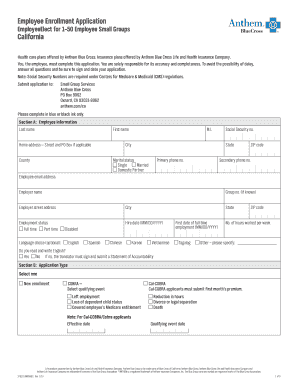
Get Employee Enrollment Application California - Anthem
How it works
-

Open form follow the instructions
-

Easily sign the form with your finger
-

Send filled & signed form or save
How to fill out the Employee Enrollment Application California - Anthem online
Completing the Employee Enrollment Application is essential for securing your health coverage with Anthem Blue Cross. This guide provides comprehensive and straightforward instructions to help you fill out the form accurately and efficiently.
Follow the steps to fill out the Employee Enrollment Application easily.
- Press the ‘Get Form’ button to obtain the application form and open it in your preferred editing tool.
- Begin with Section A: Employee Information. Fill in your last name, first name, and middle initial. Next, provide your home address, including street, city, state, ZIP code, and county. Make sure to include your Social Security number, primary and secondary phone numbers, email address, employer name, and group number if known.
- In Section A, indicate your marital status by selecting Single, Married, or Domestic Partner. Specify your employment status as Full-time or Part-time, and provide the hire date in MM/DD/YYYY format.
- Optionally, select your preferred language from the options provided, and answer whether you can read and write in English.
- Proceed to Section B: Application Type. Choose between New Enrollment or COBRA and provide the effective date and any qualifying event details if applicable.
- In Section C: Type of Coverage, select the type of medical, dental, and vision coverage offered by your employer. Each selection may require a contract code, so ensure accurate entry where necessary.
- Move to Section D: Coverage Information. This section requires details of the employee and any dependents to be covered under the selected plans. Fill out names, Social Security numbers, birth dates, and Primary Care Physician (PCP) information.
- In Section E: Other Group Coverage, indicate if you or any family members have existing Medicare or other health coverage. Provide necessary details if applicable.
- In Section F: Waiver/Declining Coverage, check off any coverage types you wish to decline and provide reasons for declining if relevant.
- Complete Section G: Terms, Conditions and Authorizations by reading and understanding the eligibility requirements, and then provide your signature and the date to confirm your application.
- Once you have filled out all sections, review your application for completeness and accuracy. Finally, save your changes, download, print, or share the form as needed.
Start filling out your Employee Enrollment Application online to secure your health coverage today.
Determining which is better between Blue Shield of California and Anthem Blue Cross depends on your specific healthcare needs and preferences. Both companies offer a variety of plans, so you should compare coverage options, costs, and provider networks. Using the Employee Enrollment Application California - Anthem can help you assess Anthem's offerings in relation to your personal healthcare requirements.