Loading
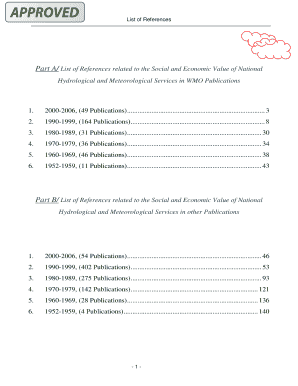
Get Part A List Of References Related To The Social And Economic Value Of National Hydrological And
How it works
-

Open form follow the instructions
-

Easily sign the form with your finger
-

Send filled & signed form or save
How to fill out the Part A List of References Related to the Social and Economic Value of National Hydrological and Meteorological Services online
This guide provides a detailed, step-by-step process for filling out the Part A List of References form, which pertains to the social and economic value of national hydrological and meteorological services. By following these instructions, users can ensure accurate and efficient completion of the form.
Follow the steps to complete the form successfully:
- Begin by clicking the ‘Get Form’ button to access the Part A List of References form, opening it in your preferred editor or viewer.
- Review the instructions on the form carefully to understand the specific requirements for each section. Familiarizing yourself with these details beforehand can help facilitate your data entry.
- Begin filling out the section for the year range at the top of the form. This requires identifying the time span of the references you are submitting.
- Move on to input the number of publications relevant to each decade within the specified year range. Ensure that this information is accurate, as it is critical for your submission.
- Continue to the next sections where you will enter detailed references for each identified publication. This may include specific titles, authors, and other citation details as outlined in the form.
- After completing all sections of the form, review your entries to ensure that all information is accurate and complete.
- Finally, save your changes, and you can choose to download, print, or share the completed form as required.
Start completing your document now to contribute to the valuable research on hydrological and meteorological services!
Enter a meeting ID and passcode. To find both the meeting ID and passcode, go to your calendar in Outlook. Open the meeting you want to join. At the bottom of the meeting invitation under Or join by entering a meeting ID , you'll find the ID and passcode.
Industry-leading security and compliance
US Legal Forms protects your data by complying with industry-specific security standards.
-
In businnes since 199725+ years providing professional legal documents.
-
Accredited businessGuarantees that a business meets BBB accreditation standards in the US and Canada.
-
Secured by BraintreeValidated Level 1 PCI DSS compliant payment gateway that accepts most major credit and debit card brands from across the globe.