Loading
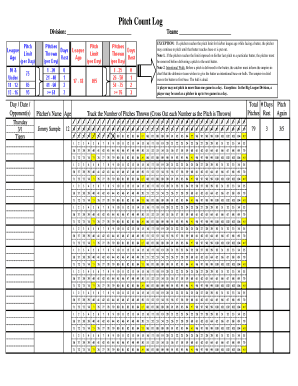
Get Online Pitch Counter
How it works
-

Open form follow the instructions
-

Easily sign the form with your finger
-

Send filled & signed form or save
How to fill out the Online Pitch Counter online
The Online Pitch Counter is an essential tool for tracking pitch counts during games. This guide provides a step-by-step approach to filling out the form accurately and efficiently, ensuring compliance with pitching regulations.
Follow the steps to successfully complete the Online Pitch Counter
- Press the ‘Get Form’ button to access the Online Pitch Counter form and open it in your preferred editing interface.
- In the first section, fill in the division and team name. This information is critical for identifying the context of the pitch count.
- Record the day, date, and opponent's name in the designated fields. This documentation will aid in tracking games played.
- As the pitcher delivers each pitch, use the tracking field to tally the number of pitches thrown. Cross out each number sequentially to ensure clarity.
- In the final section, be aware of the rules regarding pitch limits and rest periods as it pertains to the pitcher's age group. Confirm that the pitch count adheres to these guidelines.
- Once all entries are complete, save any changes made to the form. You may also download, print, or share the completed form as needed.
Start optimizing your pitch tracking by completing the Online Pitch Counter today!
It has a 1/100 (1%) chance of being dropped from Angry Bones, Cursed Skulls, and Dark Casters, all of which are found in the Dungeon. The Tally Counter is one of the three parts necessary to make the R.E.K.