Loading
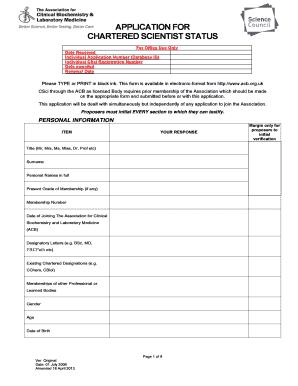
Get Csci Application Form - Association Of Clinical Biochemists - Acb Org
How it works
-

Open form follow the instructions
-

Easily sign the form with your finger
-

Send filled & signed form or save
How to fill out the CSci application form - Association of Clinical Biochemists - ACB Org online
Filling out the CSci application form is an essential step for those seeking to attain Chartered Scientist status through the Association of Clinical Biochemists. This guide will provide you with clear, step-by-step instructions on how to complete the form online to ensure a smooth submission process.
Follow the steps to successfully complete your application.
- Click ‘Get Form’ button to obtain the form and open it in your document editor.
- Begin by entering your personal information in the designated fields, including your title, surname, and full names. Ensure that you provide your current membership grade and number, along with the date you joined the Association for Clinical Biochemistry and Laboratory Medicine.
- Fill out your work and home addresses. Include all relevant contact details, making sure to specify your preferred mailing address by marking either 'Business' or 'Home' as appropriate.
- Proceed to the education section and list your academic qualifications. Be sure to include the institution you attended, dates studied, subjects, and qualifications obtained, particularly for your primary and master's degrees.
- Provide details about your registration with the Health and Care Professions Council (HCPC) or the General Medical Council (GMC), including your registration number and renewal date.
- In the criteria for Chartered Scientist section, demonstrate how you meet the specified criteria for your professional qualifications. Use a separate sheet if necessary for detailed responses.
- If you have any additional relevant information not covered in other sections, include that in the provided space.
- Complete the proposers section, ensuring that two proposers verify your application. They must initial every margin and provide their personal details, including signatures.
- Finish by reviewing the applicant's undertakings section. Sign and date this section to assert that the information provided is accurate. Also, check the payment instructions to ensure the fees are included.
- Once finished, save your changes. You can then download, print, or share the completed form as necessary.
Take the next step in your professional journey by completing your CSci application form online today.
A watermark is a logo, piece of text or signature superimposed onto a photograph. Watermarks are typically transparent, so those viewing the image can still admire it. You can usually identify the photographer through the watermark, too.
Industry-leading security and compliance
US Legal Forms protects your data by complying with industry-specific security standards.
-
In businnes since 199725+ years providing professional legal documents.
-
Accredited businessGuarantees that a business meets BBB accreditation standards in the US and Canada.
-
Secured by BraintreeValidated Level 1 PCI DSS compliant payment gateway that accepts most major credit and debit card brands from across the globe.