Loading
Get Assistant Document List
How it works
-

Open form follow the instructions
-

Easily sign the form with your finger
-

Send filled & signed form or save
How to fill out the ASSISTANT DOCUMENT LIST online
This guide provides a detailed overview of how to fill out the ASSISTANT DOCUMENT LIST efficiently. By following the steps outlined below, users can navigate through the form with confidence and ensure all necessary information is captured accurately.
Follow the steps to complete the ASSISTANT DOCUMENT LIST online.
- Press the ‘Get Form’ button to download the ASSISTANT DOCUMENT LIST. This will allow you to open the form in an online editor for easier completion.
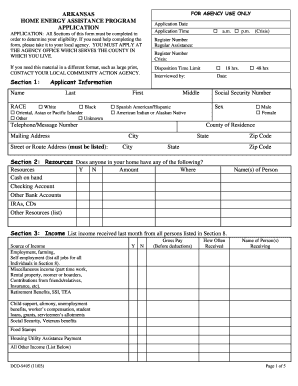
- Begin by filling in your name in the applicant information section. Make sure to include your last name, first name, and middle name as applicable.
- Complete the race and sex fields by selecting the appropriate options from the provided list. Ensure you provide accurate details as this may influence eligibility.
- Fill in your application date and time to ensure proper processing of your request.
- Enter your street or route address, making sure it is accurately listed as required for processing.
- Utilize the resources section to indicate any financial resources available in your household. Mark 'Y' or 'N' for each item and provide the amount and location of those resources.
- In the income section, list all income sources received last month from all individuals in your household. Include specific details regarding employment and any other income received.
- Proceed to the home energy situation section to specify the type of assistance you are seeking. Select either 'regular' or 'crisis' based on your current situation.
- Answer the housing and home energy information questions to ensure eligibility review. This may include questions about your rental assistance and heating systems.
- Provide the home energy supplier information, ensuring you include the name and address required for utility payments.
- List household members in the designated section, providing their names, relationships, dates of birth, and Social Security Numbers. Be thorough to avoid delays.
- Review the applicant rights and responsibilities section carefully. Ensure you understand the implications of your application before signing.
- Once completed, save the changes you've made to the form. You can then download, print, or share the document as needed.
Start filling out your ASSISTANT DOCUMENT LIST online today to ensure you receive the assistance you need.
You could design spreadsheets, build templates, or otherwise customize and automate Excel spreadsheets for business clients directly or offer your services through freelance marketplaces like Fiverr or Upwork. If you're new to freelancing, click here to find out how much you should charge as an Excel consultant.