Loading
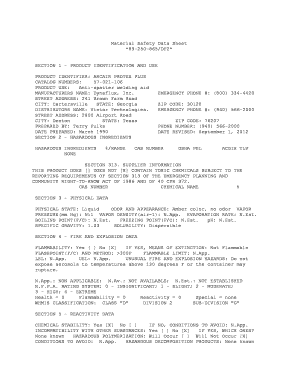
Get Dynaflux Inc Arcair Protex Plus Msds Form
How it works
-

Open form follow the instructions
-

Easily sign the form with your finger
-

Send filled & signed form or save
How to fill out the Dynaflux Inc Arcair Protex Plus Msds Form online
Filling out the Dynaflux Inc Arcair Protex Plus Msds Form online is a straightforward process designed to ensure safety and compliance. This guide will walk you through each section of the form, providing detailed instructions to help you complete it efficiently.
Follow the steps to complete the online form effectively
- Click the ‘Get Form’ button to access and open the Dynaflux Inc Arcair Protex Plus Msds Form.
- Begin by entering the product identification details in Section 1. Fill in the product identifier as 'ARCAIR PROTEX PLUS', along with the catalog numbers and product use information.
- Continue to Section 2 to declare any hazardous ingredients. In this case, indicate that there are none present by marking the appropriate box.
- Proceed to Section 3, where you need to detail the physical data of the product, including its physical state, color, and specific gravity.
- In Section 4, assess the fire and explosion data. Note that the product is marked as non-flammable and fill out the flashpoint information as applicable.
- Move to Section 5 to evaluate reactivity data. Confirm the chemical stability and note any known incompatibility with other substances.
- Next, fill out Section 6 concerning health hazard data. Indicate the routes of entry and potential effects of exposure.
- In Section 7, outline precautions for safe handling and use, such as proper storage conditions and waste disposal methods.
- Complete Section 8 by indicating the control measures, noting if any protective equipment is necessary during handling.
- Finally, review all sections for accuracy. Once satisfied, save changes, download a copy of the completed form, or print it for your records.
Start filling out the Dynaflux Inc Arcair Protex Plus Msds Form online today for a safer, compliant workplace.
Use a Google or Microsoft account, or create a login with an email address and a strong password. There's no multifactor authentication option. Dall-E is not entirely free. The service runs on "credits." You get 50 free credits at signup, and then 15 credits free per month after that, but they don't roll over.
Industry-leading security and compliance
US Legal Forms protects your data by complying with industry-specific security standards.
-
In businnes since 199725+ years providing professional legal documents.
-
Accredited businessGuarantees that a business meets BBB accreditation standards in the US and Canada.
-
Secured by BraintreeValidated Level 1 PCI DSS compliant payment gateway that accepts most major credit and debit card brands from across the globe.