Loading
Get Emedny 401103
How it works
-

Open form follow the instructions
-

Easily sign the form with your finger
-

Send filled & signed form or save
How to fill out the Emedny 401103 online
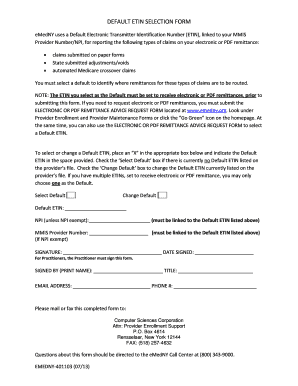
Filling out the Emedny 401103 form is essential for selecting or changing your Default Electronic Transmitter Identification Number (ETIN). This guide provides you with a clear and step-by-step approach to complete the form accurately.
Follow the steps to complete the Emedny 401103 form seamlessly.
- Click the ‘Get Form’ button to obtain the form and open it in the editor.
- Identify whether you are selecting a new Default ETIN or changing an existing one. Indicate your choice by placing an ‘X’ in the appropriate box, either ‘Select Default’ or ‘Change Default’.
- In the space provided, enter the Default ETIN you wish to select or confirm that you are changing. Ensure this ETIN can accept electronic or PDF remittances.
- If applicable, provide your National Provider Identifier (NPI) unless you are exempt. This NPI must be linked to the Default ETIN.
- Write your MMIS Provider Number, as it also needs to be linked to the Default ETIN.
- If you are NPI exempt, complete the section with your signature, date signed, printed name, and title.
- Enter your email address and phone number for any necessary follow-up.
- Once all fields are filled out correctly, save your changes. You may choose to download or print the form for your records before submitting.
- Mail or fax the completed form to Computer Sciences Corporation at the specified address provided in the document.
Complete your Emedny 401103 form online and ensure your claims are processed correctly.
Billing related questions can be directed to eMedNY at (800) 343-9000.