Loading
Get Ggbgm Umc Org Umw Finance
How it works
-

Open form follow the instructions
-

Easily sign the form with your finger
-

Send filled & signed form or save
How to fill out the Ggbgm Umc Org Umw Finance online
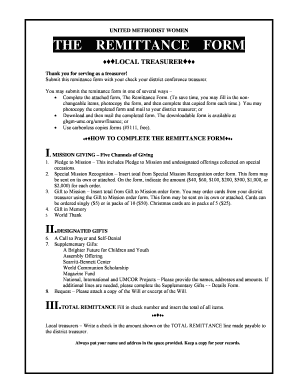
This guide provides comprehensive instructions for completing the Ggbgm Umc Org Umw Finance remittance form online. Designed for local treasurers, this form facilitates the submission of mission giving and designated gifts.
Follow the steps to successfully complete the online remittance form.
- Click ‘Get Form’ button to access the online version of the remittance form.
- Begin by filling out your name and address in the designated spaces at the top of the form. This information is crucial for record-keeping and ensuring any correspondence reaches you.
- For the mission giving section, report your contributions in the following categories: Pledge to Mission, Special Mission Recognition, Gift to Mission, Gift in Memory, and World Thank. Ensure that totals from any attached order forms are accurately represented.
- Move on to the designated gifts section. Provide details for contributions such as A Call to Prayer and Self-Denial, Supplementary Gifts, and Bequest. If needed, use the Supplementary Gifts - Details Form for additional entries.
- Calculate the total remittance by adding all items contributed and fill in the total in the designated line of the form. Don't forget to include the check number corresponding to your remittance.
- Review all completed sections to ensure everything is accurate. This is vital to avoid any discrepancies in your submissions.
- Save your changes, then download a copy of the filled form. You can also print it directly if that is your preferred submission method.
- Submit the completed remittance form along with your check to your district treasurer. Keep a copy for your records to maintain personal documentation of your philanthropic contributions.
Complete your Ggbgm Umc Org Umw Finance form online today and make your contributions count.
The FCC Form 160, CORES Registration Form, is a form that must be completed to obtain a FCC Registration Number (FRN). The FCC Registration Number will be assigned by the Commission Registration System (CORES) and is required for anyone doing business with the Commission (feeable and non-feeable).