Loading
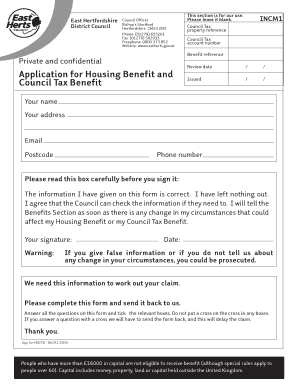
Get East Herts Incm1 Form
How it works
-

Open form follow the instructions
-

Easily sign the form with your finger
-

Send filled & signed form or save
How to fill out the East Herts Incm1 Form online
Completing the East Herts Incm1 Form is an essential step in applying for Housing Benefit and Council Tax Benefit. This guide will provide you with clear, step-by-step instructions to help you fill out the form accurately and effectively online.
Follow the steps to complete the form online.
- Click ‘Get Form’ button to obtain the form and open it in your digital editor.
- Begin by entering your personal information in the designated fields, including your name, address, email, postcode, and phone number. Make sure that the information is accurate and up to date.
- Proceed to the section regarding your council tax property reference. Enter the necessary details, such as your council tax account number and benefit reference.
- Review the eligibility criteria stated in the form. Be aware that individuals with more than £16,000 in capital may not qualify for benefits, with exceptions for those over 60.
- Fill in the sections that inquire about any benefits or credits that you or your partner are receiving or expecting. Provide accurate amounts received per specified time period and check any applicable boxes.
- Continue to provide details regarding any employment, including both your and your partner's employer information. This section may require you to describe your job title, salary, and working hours.
- If you or your partner are self-employed, complete the relevant section with details of your business, including the start date and nature of the business. Make sure to include any necessary documentation.
- Next, report any additional income sources, such as pensions or loans. Fill in all relevant fields, indicating the frequency and amounts of income.
- Answer the questions regarding bank accounts and investments thoroughly, providing information about balances and account details. Remember to include all accounts, regardless of their state.
- Review all entries for accuracy. Ensure that you have answered all the questions and have not placed crosses in any boxes—only tick relevant options.
- Once all sections are completed and reviewed, save your changes. You can then download, print, or share the form as needed.
Complete your documents online today to ensure your application process is smooth and efficient.
Please email photos of any supporting proof to benefits@north-herts.gov.uk. DO NOT send original documents to us. All changes of circumstances must be reported immediately. Change of circumstances | North Herts Council North Herts Council https://.north-herts.gov.uk › change-circumstances North Herts Council https://.north-herts.gov.uk › change-circumstances