Loading
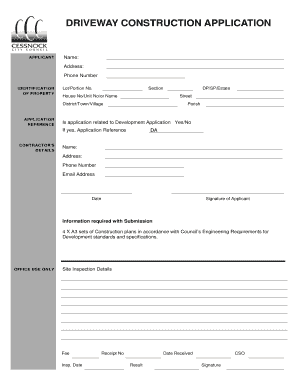
Get Cessnock Council Driveway Profile
How it works
-

Open form follow the instructions
-

Easily sign the form with your finger
-

Send filled & signed form or save
How to fill out the Cessnock Council Driveway Profile online
Filling out the Cessnock Council Driveway Profile is a crucial step in ensuring that your driveway construction meets local regulations. This guide provides clear instructions to help users navigate the online application process efficiently.
Follow the steps to complete your driveway profile application.
- Click ‘Get Form’ button to obtain the form and open it in the editor.
- In the 'Applicant' section, provide your name, address, and phone number. This information identifies who is applying for the driveway profile.
- In the 'Identification of Property' section, fill in the lot/portion number, section, house number or unit number, street name, and the district, town, or village where the property is located. This detail helps the council locate your property.
- Proceed to the 'Application Reference' section. Here, you need to specify if your application is related to a development application by selecting 'Yes' or 'No.' If it is related, include the application reference number.
- Fill in the ‘Contractor’s Details’ section with the contractor's DP/SP/Estate and DA classifications. Provide the contractor's name, address, phone number, and email address to ensure they can be contacted regarding the application.
- Complete the date and include the signature of the applicant at the bottom of the form to verify that all provided information is accurate.
- Include additional information required with the submission, which consists of four A3 sets of construction plans compliant with the council’s engineering requirements.
- Once you have filled out all the necessary fields and attached the required documents, review your application for accuracy. You can then save changes, download the form, print it, or share it as needed.
Complete your driveway application online today for a smooth approval process.
What are required form fields? To put it simply, a required form field must contain an answer before the respondent can submit the form. These are fields that absolutely must be answered in order for the form to be useful. It's possible for a form to be useful without having any required fields.