Loading
Get 8000 Pm Oogm0024 Doc Form
How it works
-

Open form follow the instructions
-

Easily sign the form with your finger
-

Send filled & signed form or save
How to fill out the 8000 Pm Oogm0024 Doc Form online
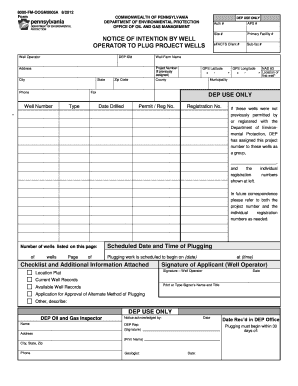
Filling out the 8000 Pm Oogm0024 Doc Form online is a critical step for well operators intending to plug project wells. This guide provides clear and detailed instructions to help users navigate through each section of the form effectively.
Follow the steps to complete the form accurately and efficiently.
- Click the ‘Get Form’ button to access the document online and open it for editing.
- Fill in the 'Well Operator' section with the required information about the operator, including the DEP ID number, state, and phone number.
- Enter the project number if available; otherwise, leave it blank. Provide the county where the wells are located.
- Complete the sections for 'Type,' 'Site #,' and 'Primary Facility #,' making sure to include the eFACTS Client # and sub-facility #.
- Input the ZIP code, GPS latitude, and GPS longitude of the first well location. Ensure accuracy in the geographical data.
- Specify the municipality and provide a fax number if applicable. Fill out the well number and APS number as necessary.
- Document the well farm name and the address, including the city, authorization number, and additional information such as the date drilled and permit or registration number.
- If applicable, include details about the scheduled date and time for the plugging work that complies with the required time frame.
- Sign and date the form as the applicant (well operator) and print or type your name and title in the designated fields.
- Upon completing the form, review for accuracy, save your changes, and prepare to download, print, or share the document as necessary.
Start filling out your documents online today to ensure compliance and proper submission.