Loading
Get Cayugacounty Us Civilservice
How it works
-

Open form follow the instructions
-

Easily sign the form with your finger
-

Send filled & signed form or save
How to fill out the Cayuga County Us Civil Service application online
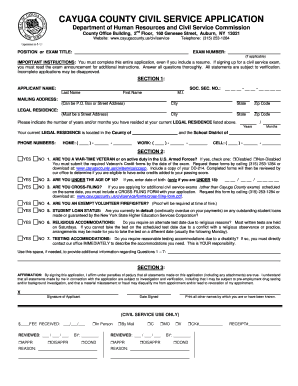
This guide provides a detailed overview of how to effectively complete the Cayuga County Civil Service application form online. Whether you are applying for a position or an exam, following these instructions will help ensure your application is thorough and accurate.
Follow the steps to successfully complete your application.
- Click ‘Get Form’ button to obtain the Civil Service application and open it in your editing software.
- In the first section, enter your applicant name, including last name, first name, and middle initial. Fill in your social security number and provide your mailing address. Ensure this can either be a P.O. Box or a street address.
- Specify your legal residence by indicating the number of years and/or months you have resided at your current legal address. Provide your home, work, and cell phone numbers.
- Proceed to the second section. Answer yes or no to each of the questions regarding your veteran status, age, cross-filing, student loan status, and any required accommodations. Be honest and thorough in your responses.
- In section three, affirm the truthfulness of your statements by signing and dating the application. This is a crucial part of the form to verify your commitment to accuracy.
- Moving on to section four, indicate whether you have a high school diploma or GED, and provide the name of the institution if applicable.
- Fill out section five with information about your additional education, including any college or technical courses taken, the type of degree received, and graduation status.
- In section six, confirm if you hold a valid New York State driver's license. If yes, provide the license class and number, along with the expiration date.
- Complete section seven if you possess any relevant certifications or licenses, providing necessary details about each certification.
- Answer the questions in section eight regarding employment dismissals, military discharges, and criminal convictions. Specify details if you answer yes to any of these questions.
- In section nine, detail your employment history, providing information on your past positions, including dates of employment, job titles, descriptions, earnings, and supervisor's information. This section should be completed thoroughly.
- Once all sections are complete, review your application for accuracy. Save your changes, and prepare to download, print, or share the form as necessary.
Complete your application online today to ensure a smooth submission process.
So many applicants fail to get the job because they don't pass the Civil Service Exam. It is one of the most challenging examinations that require a lot of practice and preparation. Most applicants do not take this test too seriously, and we don't want you to make the same mistake.
Industry-leading security and compliance
US Legal Forms protects your data by complying with industry-specific security standards.
-
In businnes since 199725+ years providing professional legal documents.
-
Accredited businessGuarantees that a business meets BBB accreditation standards in the US and Canada.
-
Secured by BraintreeValidated Level 1 PCI DSS compliant payment gateway that accepts most major credit and debit card brands from across the globe.