Loading
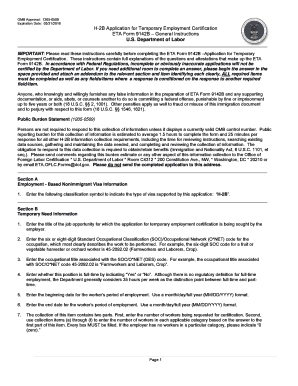
Get Eta Form 9142b
How it works
-

Open form follow the instructions
-

Easily sign the form with your finger
-

Send filled & signed form or save
How to fill out the Eta Form 9142b online
Filling out the Eta Form 9142b is an essential step for employers seeking temporary employment certification for nonimmigrant workers. This guide provides a clear and detailed approach to completing the form online, ensuring that all necessary information is collected accurately.
Follow the steps to successfully complete the form online.
- Click ‘Get Form’ button to obtain the ETA Form 9142b, ensuring it opens appropriately in your online editor.
- Section A: Begin by entering the classification symbol for the visa type, which should be ‘H-2B’. This indicates the purpose of the application.
- Section B: Input the job title for which the temporary employment certification is requested.
- Provide the Standard Occupational Classification (SOC)/O*NET code, clarifying the specific occupation for the job opportunity.
- Indicate whether the position is full-time with a 'Yes' or 'No'. Typically, full-time is considered to be 35 hours or more per week.
- Fill in the beginning date and the end date for the worker's period of employment using the MM/DD/YYYY format.
- Specify the number of workers being requested and fill in all applicable categories for those workers as required.
- Select the appropriate box that accurately describes the nature of the employer's temporary need for the services or labor to be performed.
- In this part, provide a detailed statement describing the employer's temporary need, including relevant business details and justifications.
- Proceed with Section C to enter the full legal name of the employer and additional contact information, including address and employer identification number.
- Continue through Sections D and E to provide contact information for the employer point of contact and attorney/agent, if applicable.
- Complete Section F, which includes job offer information specifying hours, responsibilities, and pay rates.
- Finally, review all entered information for accuracy, and when ready, you can save changes, download, print, or share the completed form.
Take the next step in your application by filling out the Eta Form 9142b online today.
E-Filing an ETA-9141 In Docketwise: Navigate to the ETA-9141 Form that you would like to e-file. In Docketwise: Click the eFile this form on flag.dol.gov. option inside on an existing ETA-9141 Smart Form. In Docketwise: Enter the password associated with your login.gov credentials.