Loading
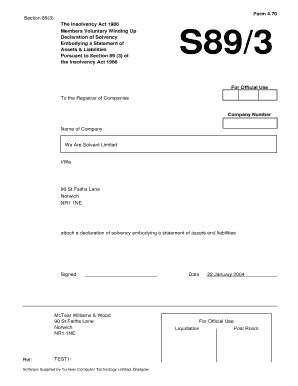
Get S893 Insolvency Act Form
How it works
-

Open form follow the instructions
-

Easily sign the form with your finger
-

Send filled & signed form or save
How to fill out the S893 Insolvency Act Form online
The S893 Insolvency Act Form is essential for declaring solvency in a members voluntary winding up. This guide provides clear instructions on how to fill out the form online, ensuring a seamless process.
Follow the steps to complete the S893 Insolvency Act Form online.
- Click ‘Get Form’ button to obtain the form and open it for editing.
- Enter the company number in the specified field at the beginning of the form. This identifies the company for which the declaration is made.
- In the ‘Name of Company’ field, input the full legal name of the company, ensuring accuracy for legal purposes.
- Complete the address section with the full registered address of the company. This is important for official correspondence.
- Attach the declaration of solvency and assets and liabilities statement as described in the form.
- In the declaration section, indicate the names of the directors signing the declaration. Ensure that at least a majority are included.
- Review and confirm that a full inquiry into the company’s affairs has been made and that the directors believe the company can pay its debts within twelve months.
- Complete the statement of assets and liabilities, providing estimated values for each asset and liability as of the latest practicable date.
- Sign the declaration at the bottom of the form. Ensure a solicitor or commissioner of oaths is present to witness the signing.
- Once all sections are completed, save your changes, download or print the form if needed, and file it as required.
Start your document preparation online today for a smooth filing experience.
In general, secured creditors have the highest priority followed by priority unsecured creditors. The remaining creditors are often paid prior to equity shareholders.