Loading
Get Property Information Questionnaire
How it works
-

Open form follow the instructions
-

Easily sign the form with your finger
-

Send filled & signed form or save
How to fill out the Property Information Questionnaire online
Completing the Property Information Questionnaire is a vital step in the property selling process. This guide will walk you through the necessary steps to fill out the form accurately and effectively.
Follow the steps to complete your Property Information Questionnaire online.
- Click the ‘Get Form’ button to access the Property Information Questionnaire and open it in your preferred editor.
- Begin by entering the date of completion in the designated field. Ensure that it is filled out in the format of day/month/year.
- Answer the questions in Part 1 carefully. Begin with when you purchased the property and indicate if your property is listed or in a listed building.
- Address any damage to the property due to storm or fire, and specify whether you filed an insurance claim.
- Indicate if there is central heating in the property and provide information on the last service date for your heating system.
- If applicable, specify if you have made any structural changes to the property and provide details on any replacements, such as windows or doors.
- If your property is leasehold, confirm this in the questionnaire and complete Part 2 with relevant lease details.
- Once completed, save your changes. You can then download, print, or share the filled-out form as needed.
Start filling out your Property Information Questionnaire online today for a smooth selling process.
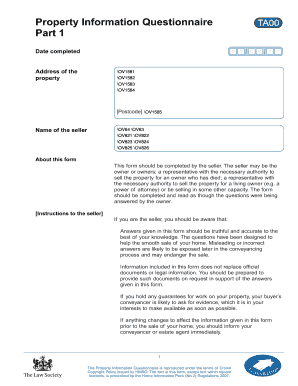
The Law Society's Property Information Form, also known as TA6, is completed by a property seller to give a potential buyer detailed information about the property being sold.