Loading
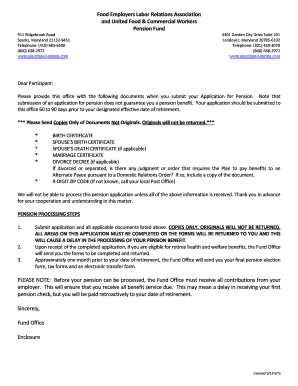
Get Felra Cvr. Ltr. And Pension Application - Associated-admin.com
How it works
-

Open form follow the instructions
-

Easily sign the form with your finger
-

Send filled & signed form or save
How to fill out the FELRA Cvr. Ltr. And Pension Application - Associated-Admin.com online
This guide provides clear instructions for completing the FELRA Cover Letter and Pension Application. Whether you are familiar with digital forms or new to filling out applications, our step-by-step approach will help ensure you submit everything correctly.
Follow the steps to successfully fill out your pension application.
- To obtain the FELRA Cover Letter and Pension Application form, click the ‘Get Form’ button to access and open it in your preferred editor.
- Begin by entering your full name in the designated fields, including your last name, first name, and middle name if applicable.
- Provide your Social Security number in the specified section.
- Fill out your home address completely, including street address, city, state, and 9-digit zip code.
- Indicate your home telephone number and ensure all contact information is accurate.
- Enter your birth date following the format specified (month/day/year) and be prepared to attach proof of age as required.
- Select your marital status from the options provided and attach the necessary documentation like a marriage certificate or divorce decree, if applicable.
- Input your last day worked or your anticipated last day worked according to the given date format.
- If you are currently employed, indicate the name and work status of your current employers, distinguishing between full-time and part-time.
- Specify your retirement date based on the guidelines, entering it in the correct format.
- If applicable, indicate whether you are currently receiving Workers’ Compensation or Accident and Sickness pay.
- Complete any disability or spouse-related sections, ensuring accurate entries for required proof of age and additional documentation.
- Review the entire application for accuracy and completeness, ensuring all sections are filled out properly to avoid delays.
- Finally, sign and date the application form before submission.
- Submit your application along with all required documentation, remembering to include only copies, not original documents.
Prepare your documents and complete your application online today for a smoother pension process.
For identification purposes, the official plan number is 001, the Plan sponsor's name is the Board of Trustees of the UFCW Consolidated Pension Fund, and the Plan sponsor's employer identification number or “EIN” is 58-6101602.
Industry-leading security and compliance
US Legal Forms protects your data by complying with industry-specific security standards.
-
In businnes since 199725+ years providing professional legal documents.
-
Accredited businessGuarantees that a business meets BBB accreditation standards in the US and Canada.
-
Secured by BraintreeValidated Level 1 PCI DSS compliant payment gateway that accepts most major credit and debit card brands from across the globe.