Loading
Get Rstc Medical Statement - Explorer Ventures
How it works
-

Open form follow the instructions
-

Easily sign the form with your finger
-

Send filled & signed form or save
How to fill out the RSTC Medical Statement - Explorer Ventures online
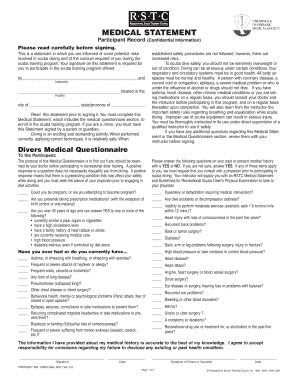
Filling out the RSTC Medical Statement - Explorer Ventures is an essential step for participants in scuba training. This guide provides clear, step-by-step instructions to ensure that users can complete the form accurately and confidently, paving the way for a safe diving experience.
Follow the steps to complete the RSTC Medical Statement effectively.
- Press the ‘Get Form’ button to obtain the medical statement form and open it in the online editor.
- Begin by reading the introductory section carefully. This section contains important information regarding the risks involved in scuba diving and confirms your understanding of these risks.
- Provide the name and address of your family physician, including their contact information. This is critical since they may need to review your medical history prior to participating in the diving program.
- Sign the form at the designated location, confirming that the information you have provided is accurate. If necessary, have a parent or guardian sign as well if you are a minor.
Ensure you complete your documents online to streamline your scuba diving experience.
Related links form
Scuba diving does not require you to be an Olympic athlete, but health is an important issue. If you are considering diving for the first time, you should be in good health, especially your heart and lungs. You should be able to swim and be comfortable in the water.