Loading
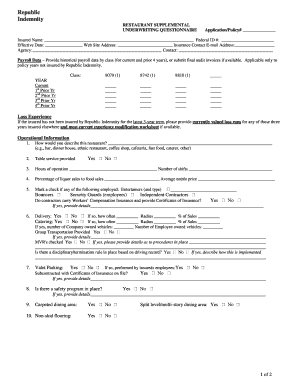
Get Restaurantsuppappapril2006.doc
How it works
-

Open form follow the instructions
-

Easily sign the form with your finger
-

Send filled & signed form or save
How to fill out the RestaurantSuppAppApril2006.DOC online
This guide provides a step-by-step approach to completing the RestaurantSupplemental Underwriting Questionnaire document online. It is designed to help users understand each section clearly and efficiently, ensuring a smooth and accurate completion of the form.
Follow the steps to fill out the RestaurantSupplemental Underwriting Questionnaire online.
- Press the ‘Get Form’ button to access the RestaurantSupplemental Underwriting Questionnaire and open it in your preferred editor.
- In the first section, enter the Application/Policy number, Insured Name, Federal ID number, and other identifying information as requested.
- Provide the Effective Date, Website Address, and Insurance Contact Email Address. Ensure all entries are accurate to avoid delays.
- Fill out the Payroll Data section by providing historical payroll data by class for the current and previous four years, or submit final audit invoices if available.
- In the Loss Experience section, input loss runs for the last three years if the insured has not been covered by Republic Indemnity during that period.
- Complete the Operational Information section, detailing the type of restaurant, services provided, hours of operation, and percentage of liquor sales. Be sure to answer all yes/no questions accurately.
- Detail delivery and catering information if applicable, including the frequency, radius, and percentage of sales.
- Provide information about valet parking and safety programs, ensuring to describe whether they are implemented by employees or subcontractors.
- In the General Information section, include current employee numbers, wages, benefits, and participation in group medical plans.
- List all business operation locations accurately, including the number of employees assigned to each location and building construction type.
- Finalize your form review to ensure all entries are correct and complete. Then, save any changes made to the document.
- Lastly, download, print, or share the completed form as needed.
Complete your RestaurantSupplemental Underwriting Questionnaire online with confidence!