Loading
Get Transaction Broker Notice - Pinnacle Vacations
How it works
-

Open form follow the instructions
-

Easily sign the form with your finger
-

Send filled & signed form or save
How to fill out the TRANSACTION BROKER NOTICE - Pinnacle Vacations online
Filing the TRANSACTION BROKER NOTICE online is an essential step in understanding the representation provided by Pinnacle Vacations in real estate transactions. This guide offers clear, step-by-step instructions to ensure you accurately complete this important form.
Follow the steps to successfully complete your TRANSACTION BROKER NOTICE.
- Click the ‘Get Form’ button to access the form and open it in your preferred editing platform.
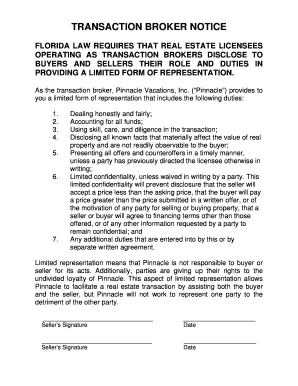
- Begin by reviewing the introductory text, which outlines the purpose of the document. This section informs users about the disclosure obligations of real estate licensees acting as transaction brokers.
- Proceed to the section detailing the specific duties provided by Pinnacle, which include honest dealings, accounting for funds, and disclosing material facts. Ensure you understand each duty, as this will help you appreciate the representation being offered.
- In the signature fields provided at the end of the form, both sellers must carefully sign and date the document. It's crucial that both parties understand the implications of limited representation, as outlined in this notice.
- Once all information is complete and the form is signed, review your entries for accuracy. Make sure all signatures are present and that the date is correctly filled.
- Finally, save any changes made to the form. You have the option to download, print, or share the completed document as needed.
Complete your TRANSACTION BROKER NOTICE online to ensure a smooth real estate transaction.
A notification service app extension ships as a separate bundle inside your iOS app. To add this extension to your app: Select File > New > Target in Xcode. Select the Notification Service Extension target from the iOS > Application section.