Loading
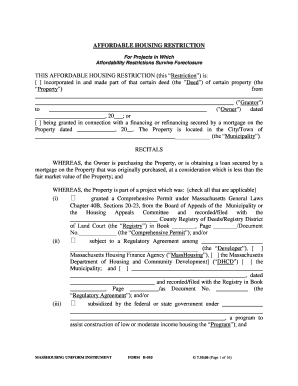
Get B114 Deed Rider
How it works
-

Open form follow the instructions
-

Easily sign the form with your finger
-

Send filled & signed form or save
How to fill out the B114 Deed Rider online
Filling out the B114 Deed Rider online can seem challenging, but with this guide, you will have a clear path to completion. This document is crucial for incorporating affordable housing restrictions into property deeds, ensuring compliance with local regulations.
Follow the steps to complete the B114 Deed Rider online effectively.
- Click ‘Get Form’ button to obtain the form and open it in the editor.
- Begin by selecting the appropriate option regarding the deed type. Indicate if the restriction is incorporated into an existing deed or if it is being granted in connection with financing.
- Fill in the grantor's name, the owner's name, and the date of the deed. Ensure accuracy in these fields to avoid legal complications.
- Provide the exact location of the property, including the municipality, as this information is essential for proper identification.
- Check all applicable boxes regarding the project's background, including permits granted or agreements established, making sure to attach any relevant registry information.
- Review the definitions section carefully and fill in any specific terms relevant to your situation, such as income limits for eligible purchasers.
- Complete the owner-occupancy section, confirming that the property will be used exclusively as the owner's principal residence.
- Pay attention to resale and transfer restrictions, ensuring that you understand and comply with the conditions outlined in this section.
- Finish by signing the document where indicated, and ensure all necessary parties sign as well.
- Once completed, save your changes, and consider downloading or printing the document for your records.
Start filling out your B114 Deed Rider online today to ensure compliance with affordable housing regulations.
Need a quick fix for the ToC numbering? To fix the incorrect numbering in your Word document, right click the Table of Contents and select "Update Field". After this the numbering for the Table of Contents will be updated correctly in the document.
Industry-leading security and compliance
US Legal Forms protects your data by complying with industry-specific security standards.
-
In businnes since 199725+ years providing professional legal documents.
-
Accredited businessGuarantees that a business meets BBB accreditation standards in the US and Canada.
-
Secured by BraintreeValidated Level 1 PCI DSS compliant payment gateway that accepts most major credit and debit card brands from across the globe.