Loading
Get Cufbl
How it works
-

Open form follow the instructions
-

Easily sign the form with your finger
-

Send filled & signed form or save
How to fill out the Cufbl online
Filling out the Cufbl form is a crucial step in the credit application process. This guide will provide a comprehensive walkthrough for users, ensuring that each section of the form is completed accurately and efficiently.
Follow the steps to complete the Cufbl form online.
- Press the ‘Get Form’ button to access the document and open it in the editor.
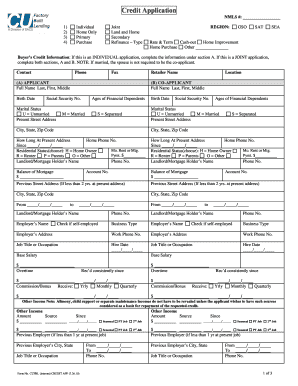
- Select the application type: individual or joint. If it is a joint application, ensure that both sections A and B are completed.
- Complete Section A for the applicant, including full name, birth date, social security number, marital status, and current address.
- If applicable, complete Section B for the co-applicant with similar details including name, birth date, social security number, and marital status.
- Provide contact information, including phone and fax numbers, as well as the retailer's name.
- Fill out employment information, including the employer’s name, address, job title or occupation, and hire date. Specify if self-employed.
- Indicate the applicant’s and co-applicant’s financial information, including base salary, overtime, commission, and any other income.
- List any outstanding obligations, including alimony, child support, and other financial liabilities.
- Answer the legal question section truthfully, indicating yes or no where required and explaining answers on an attached sheet if necessary.
- Provide demographic information for government monitoring purposes, if desired.
- Read and acknowledge the important information about opening a new account and sign the application, ensuring accuracy.
- After filling out all sections, save any changes made, and choose to download, print, or share the form as required.
Complete your credit application online today to expedite the process.
Download the Credit Human mobile banking app or register for online banking.