Loading
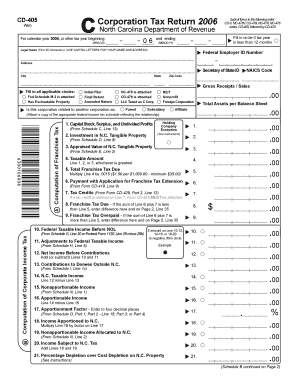
Get Cd-405 Corporation Tax Return 2006 Submit Forms In The ...
How it works
-

Open form follow the instructions
-

Easily sign the form with your finger
-

Send filled & signed form or save
How to fill out the CD-405 Corporation Tax Return 2006 online
Filling out the CD-405 Corporation Tax Return can seem daunting, but this guide will simplify the process for you. By following these clear steps, you can complete the form accurately and efficiently.
Follow the steps to complete the CD-405 Corporation Tax Return 2006 online.
- Press the ‘Get Form’ button to access the form and open it in your relevant digital platform.
- Identify the correct tax year, marking the circle if it is less than 12 months. Enter the legal name of the corporation in uppercase letters, along with the Federal Employer Identification Number (FEIN) and full address.
- Complete the sections regarding initial filings, final returns, and any amendments as applicable. Indicate any attachments like NC-478 or CD-479 if required.
- Proceed to fill out the Computation of Franchise Tax section. Enter data from the relevant schedules and calculate the total franchise tax due.
- For the Computation of Corporate Income Tax, utilize the figures from your federal return and make any necessary adjustments. Calculate the N.C. taxable income and net tax due based on the provided formulas.
- If applicable, complete the sections for tax credits and any overpayments or amounts owed. Ensure all calculations are accurate and consistent with provided instructions.
- Review the entire form to ensure completeness and accuracy, then choose to save changes, download, print, or share the completed form as necessary.
Start filing your CD-405 Corporation Tax Return online today for a smoother tax process.
CD-405, fill in the appropriate circle. Property Division, P.O. Box 20431, Raleigh, N.C. 27619-0431.