Loading
Get Teacher Loan Forgiveness Application Fillable Form
How it works
-

Open form follow the instructions
-

Easily sign the form with your finger
-

Send filled & signed form or save
How to fill out the Teacher Loan Forgiveness Application Fillable Form online
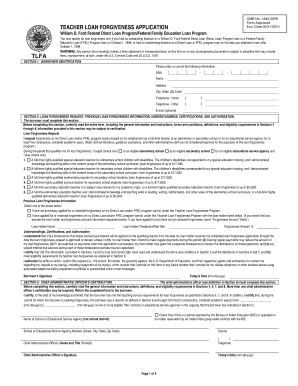
The Teacher Loan Forgiveness Application Fillable Form is a critical document for educators seeking financial relief. This guide will help users understand how to complete the form accurately and efficiently via an online platform, ensuring that all necessary components are addressed.
Follow the steps to complete the Teacher Loan Forgiveness Application fillable form online.
- Press the ‘Get Form’ button to access the Teacher Loan Forgiveness Application Fillable Form. This will allow you to open the document in the online editor of your choice.
- Begin with Section 1, which is titled 'Borrower Identification.' Here, you will need to enter your Social Security Number (SSN), full name, address, city, state, zip code, and telephone numbers. An email address is optional but can be helpful for communication.
- Move to Section 2, which focuses on the loan forgiveness request and previous loan forgiveness information. Carefully read through this section before entering your employment details. Make sure to check the box indicating whether you have applied for or received any previous loan forgiveness.
- Specify the nature of your teaching employment by checking the appropriate boxes. Indicate whether you taught at an eligible elementary school, secondary school, or educational service agency, and specify your role such as a special education teacher or a mathematics/science educator.
- In this section, also provide details about any previous loan forgiveness applications by checking the corresponding box. If applicable, fill in the name of the loan holder and the forgiveness amount if you have received forgiveness previously.
- Read carefully through the 'Understandings, Certifications, and Authorization' portion. Ensure that you understand the implications of your application and certify that all information provided is accurate by signing and dating the form.
- Proceed to Section 3, which requires the Chief Administrative Officer’s Certification. Ensure that this section is completed by the appropriate official at your institution, verifying your employment and teaching qualifications.
- After filling out all necessary sections, review the entire form for accuracy and completeness. Make any amendments as necessary.
- Once satisfied with your completed form, saving it is essential. Download or save the document for your records. You can also print the form or opt to share it if required.
Begin your Teacher Loan Forgiveness Application process online today!
EdFinancial is one of five private, not-for-profit companies that were added to the Department of Education's roster of loan servicers as a result of a little-known provision in the 2010 healthcare overhaul. The Knoxville-based company was founded by CEO Tony Hollin in 1988.