Loading
Get Businessballs
How it works
-

Open form follow the instructions
-

Easily sign the form with your finger
-

Send filled & signed form or save
How to fill out the Businessballs training feedback form online
Filling out the Businessballs training feedback form is an essential step in providing valuable input about your training experience. This guide will take you through each section of the form, ensuring that you understand how to provide constructive feedback effectively.
Follow the steps to complete the feedback form.
- Press the ‘Get Form’ button to access the training feedback form and open it for editing.
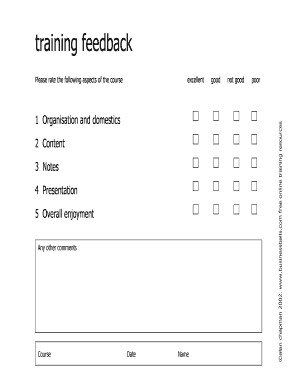
- Begin by providing your personal details. Fill in the 'Course' name where you participated, followed by the 'Date' of the training session.
- In the section that asks for your 'Name', enter your full name to identify your feedback.
- Evaluate the course by rating the aspects listed: 'Organisation and domestics', 'Content', 'Notes', 'Presentation', and 'Overall enjoyment'. Use the scale provided to indicate whether you found these aspects excellent, good, not good, or poor.
- In the 'Any other comments' section, feel free to add any additional thoughts or suggestions you may have regarding the course.
- After you have completed all sections, review your feedback for any errors or additional notes you might want to add.
- Finally, save your changes, download the completed form, print it if necessary, or share it with the appropriate party.
Take a moment to provide your training feedback online for continuous improvement.
BusinessBalls.com is a free ethical learning and development resource for people and organizations. The site was founded by Alan Chapman in 1999, and redeveloped by. Accipio in 2017, as part of a new partnership.
Industry-leading security and compliance
US Legal Forms protects your data by complying with industry-specific security standards.
-
In businnes since 199725+ years providing professional legal documents.
-
Accredited businessGuarantees that a business meets BBB accreditation standards in the US and Canada.
-
Secured by BraintreeValidated Level 1 PCI DSS compliant payment gateway that accepts most major credit and debit card brands from across the globe.