Loading
Get Xapp930, Color-space Converter: Rgb To Ycrcb
How it works
-

Open form follow the instructions
-

Easily sign the form with your finger
-

Send filled & signed form or save
How to fill out the XAPP930, Color-Space Converter: RGB To YCrCb online
Filling out the XAPP930 form is essential for implementing RGB to YCrCb color space conversion in video designs. This guide provides a step-by-step approach to completing the form, ensuring clarity and ease of use for all individuals, regardless of their prior experience with digital documentation.
Follow the steps to effectively complete the XAPP930 form.
- Press the ‘Get Form’ button to access the XAPP930 form and open it in your online editor.
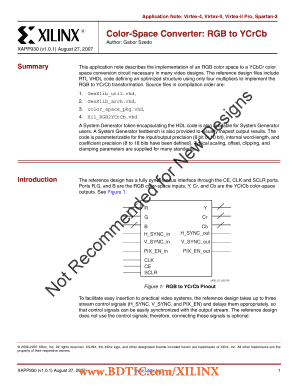
- Begin by entering the required input parameters. Locate the section designated for inputs and fill in the RGB data width (IWIDTH), which can be either 8 or 10 bits, depending on your design specifications.
- Proceed to customize the output parameters. Specify the YCrCb data width (OWIDTH) in the relevant section, again choosing between 8 or 10 bits based on your project's needs.
- Next, you'll specify the coefficients used in the conversion. Fill in the values for the coefficients, A, B, C, and D, as they relate to your particular color conversion process.
- Adjust the clamping values for both luma (Y) and chroma (Cr, Cb) outputs. Enter the maximum and minimum clamping parameters as necessary to restrict the output values according to applicable standards.
- Once all fields are completed, review your inputs for accuracy to ensure all required information is correctly filled out.
- Finally, save your changes to the form. You may download or print the completed form for your records, or share it electronically if needed.
Complete your XAPP930 documentation online to streamline your digital color-space conversion processes.
The difference between YCbCr and RGB is that RGB represents colors as combinations of red, green and blue signals, while YCbCr represents colors as combinations of a brightness signal and two chroma signals. In YCbCr, Y is luma (brightness), Cb is blue minus luma (B-Y) and Cr is red minus luma (R-Y).
Industry-leading security and compliance
US Legal Forms protects your data by complying with industry-specific security standards.
-
In businnes since 199725+ years providing professional legal documents.
-
Accredited businessGuarantees that a business meets BBB accreditation standards in the US and Canada.
-
Secured by BraintreeValidated Level 1 PCI DSS compliant payment gateway that accepts most major credit and debit card brands from across the globe.