Loading
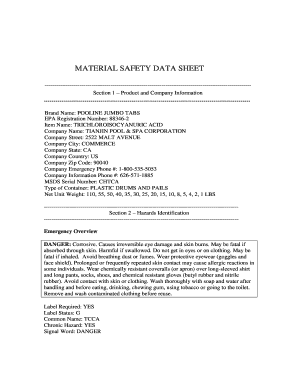
Get Material Safety Data Sheet
How it works
-

Open form follow the instructions
-

Easily sign the form with your finger
-

Send filled & signed form or save
How to fill out the MATERIAL SAFETY DATA SHEET online
Filling out a Material Safety Data Sheet online is essential to ensure proper handling and safety information for hazardous materials. This guide provides a step-by-step approach to enable users to complete the form thoroughly and accurately.
Follow the steps to successfully complete the Material Safety Data Sheet.
- Click ‘Get Form’ button to access the Material Safety Data Sheet and open it in your preferred editor.
- In Section 1, input the product and company information. Fill in the brand name, EPA registration number, item name, company name, address, and emergency contact numbers.
- Move to Section 2 and provide information on hazards identification, including the emergency overview, signal word, and any specific precautions and hazards associated with the product.
- In Section 3, list the composition information, noting the ingredients, their sequence number, percentages, and relevant identification numbers.
- Proceed to Section 4, where you will outline first aid measures for various exposure scenarios, ensuring clarity on what actions to take in each situation.
- Section 5 requires you to detail fire and explosion hazard data. Include flash point, extinguishing media, and any special firefighting procedures necessary.
- In Section 6, describe the accidental release measures, providing guidance on how to contain and clean up spills safely.
- Section 7 involves detailing handling and storage instructions, indicating how to manage the product safely and responsibly.
- In Section 8, specify exposure controls and personal protection recommendations, including necessary protective gear against the product’s hazards.
- Proceed to Section 9 to enter physical and chemical characteristics of the product, such as appearance, odor, and solubility in water.
- Section 10 should include stability and reactivity data, identifying conditions to avoid and materials that should not come into contact with the product.
- Provide toxicological information in Section 11, detailing any acute or chronic health hazards, as well as potential routes of entry into the body.
- Complete Section 12 with ecological information, if available, regarding the environmental impact of the product.
- In Section 13, outline precautions for safe handling and use, along with suggested disposal methods for the material.
- Finish with Section 14 and 15, inserting transportation information and regulatory information, ensuring compliance with all necessary regulations.
- Finally, review all sections for accuracy, save any changes made, and decide whether to download, print, or share the completed Material Safety Data Sheet.
Complete your Material Safety Data Sheet online today to ensure compliance and safety.
0:02 1:25 Insert a header or footer in Microsoft Word - YouTube YouTube Start of suggested clip End of suggested clip When you need a page number title or date on every page in your document add a header or footer toMoreWhen you need a page number title or date on every page in your document add a header or footer to start select insert and then select either header or footer. Select one of the built-in formats. And
Industry-leading security and compliance
US Legal Forms protects your data by complying with industry-specific security standards.
-
In businnes since 199725+ years providing professional legal documents.
-
Accredited businessGuarantees that a business meets BBB accreditation standards in the US and Canada.
-
Secured by BraintreeValidated Level 1 PCI DSS compliant payment gateway that accepts most major credit and debit card brands from across the globe.