Loading
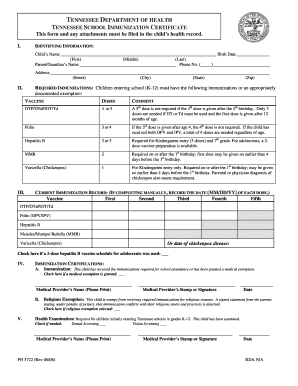
Get Tennessee Child Health Record Form
How it works
-

Open form follow the instructions
-

Easily sign the form with your finger
-

Send filled & signed form or save
How to fill out the Tennessee Child Health Record Form online
Completing the Tennessee Child Health Record Form online is essential for ensuring that your child meets the necessary health requirements for school. This guide provides a straightforward, step-by-step approach to help you navigate the form with confidence.
Follow the steps to complete the form effectively.
- Click ‘Get Form’ button to obtain the form and open it in the editor.
- Begin by filling in the identifying information section at the top of the form. Provide your child’s complete name, including first, middle, and last names, followed by their birth date.
- In the next part, enter the parent's or guardian's name along with a valid phone number. Make sure to include the complete address, including street, city, state, and zip code.
- Locate the required immunizations section and check the appropriate boxes based on the vaccines your child has received. Ensure to include any documented exemptions if applicable.
- Fill in the current immunization record by recording the dates for each vaccine your child has received, following the MM/DD/YY format specified. If applicable, check the box for a 2-dose hepatitis B vaccine schedule for adolescents.
- In the immunization certifications section, indicate whether your child has received the required immunizations or was granted an exemption. If a medical exemption is indicated, ensure to include the medical provider's name and signature.
- Check the required health examination box and provide the necessary details regarding medical and dental screenings. Sign and date the form as required.
- Once completed, review the information for accuracy. You can save changes, download, print, or share the form as needed.
Complete your Tennessee Child Health Record Form online today to ensure your child's health documentation is in order.
Children with medical or religious exemption to requirements The medical reason for the exemption does not need to be provided. Religious – This exemption requires a signed statement by the parent/guardian that vaccination conflicts with their religious tenets or practices.