Loading
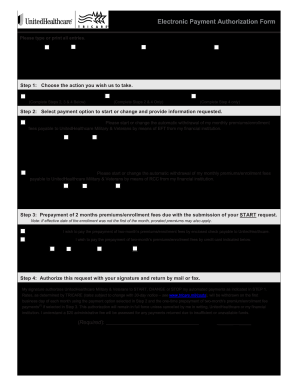
Get Electronic Payment Authorization Form - Tricare
How it works
-

Open form follow the instructions
-

Easily sign the form with your finger
-

Send filled & signed form or save
How to fill out the Electronic Payment Authorization Form - Tricare online
Filling out the Electronic Payment Authorization Form for Tricare online is a straightforward process that ensures your payment details are correctly submitted for processing. This guide will provide you with step-by-step instructions to help you complete each section of the form accurately.
Follow the steps to fill out the electronic payment authorization form efficiently.
- Press the ‘Get Form’ button to access the Electronic Payment Authorization Form.
- In the coverage section, select your appropriate coverage by checking one of the options: Prime, TRICARE Reserve Select, TRICARE Retired Reserve, or TRICARE Young Adult.
- Enter the sponsor's name in the designated fields, including last name, first name, and middle initial. Then, fill in the home address fields: street, apartment number (if applicable), city, state, and ZIP code.
- Provide the sponsor's Social Security Number or Department of Defense Beneficiary Number in the specified area.
- Choose the action you wish to take regarding payment. Select ‘Start First Time Request,’ ‘Change Request to Existing,’ or ‘Stop Request to Existing’ according to your needs and follow the necessary steps indicated.
- For payments, select your payment option in Step 2. Choose between Electronic Funds Transfer (EFT) or Recurring Credit Card (RCC) and provide the requested banking information, including account type, institution name, account holder name, routing number, and account number.
- If you selected ‘START Request’ in Step 1, complete Step 3 by indicating how you wish to pay the prepayment of two months’ premiums. Choose between check or credit card and provide the necessary payment details.
- In Step 4, authorize your request by signing in the provided space. Include the date of signing and ensure that all your information is correct before submission.
- Finally, submit the form by mail or fax. If mailing, appropriate details have been provided for where to send the form.
Complete your Electronic Payment Authorization Form online today to ensure your payments are set up seamlessly.
How to Set Up an Allotment. Online: Use our Manage My Payment tool (open in Google Chrome or Microsoft Edge). Telephone self-service: Call 1-844-866-WEST (9378). You do not need to speak to a live representative.