Loading
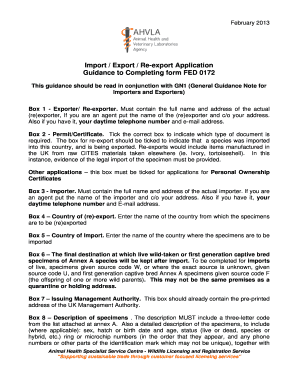
Get Guidance To Completing Form Fed 0172 - Defra - Defra Gov
How it works
-

Open form follow the instructions
-

Easily sign the form with your finger
-

Send filled & signed form or save
How to fill out the Guidance To Completing Form FED 0172 - Defra - Defra Gov online
This guide provides comprehensive instructions for successfully completing the Guidance To Completing Form FED 0172. The form is essential for import, export, and re-export applications, and this guide aims to simplify the process for users.
Follow the steps to complete the form accurately.
- Press the 'Get Form' button to access the FED 0172 form and open it in your document editor.
- Fill out Box 1 with the full name and address of the actual exporter or re-exporter. If you are acting as an agent, include the name of the exporter followed by your address using 'c/o.' If available, provide your daytime telephone number and email address.
- In Box 2, indicate the required document type by ticking the appropriate box. If applying for re-export, select that option to confirm that an imported species is being exported again.
- Complete Box 3 with the full name and address of the actual importer. As with Box 1, if you’re an agent, use 'c/o' to add your address, and supply your telephone number and email if available.
- Enter the name of the country from which the specimens are to be re-exported in Box 4.
- In Box 5, specify the country where the specimens will be imported.
- Fill in Box 6 with the final destination where live or captive-bred specimens will be retained after import.
- Confirm that Box 7 contains the pre-printed address of the UK Management Authority.
- In Box 8, describe the specimens, including a three-letter code from Annex A, and a detailed description that specifies sex, hatch or birth date, age, status, and identification numbers for each specimen.
- Complete Box 9 by stating the total net mass in kilograms for dead specimens or their derivatives.
- In Box 10, provide the total number of specimens.
- Enter the correct CITES Appendix number in Box 11.
- In Box 12, specify the correct EC Annex letter.
- Complete Box 13 by providing the source code for the specimens as instructed in Annex B.
- Fill in Box 14 with the intended purpose of the specimens using codes from Annex C.
- In Box 15, state the country of origin where the specimens were sourced.
- Provide the permit number from CITES in Box 16.
- Enter the date of issue for the permit in Box 17.
- If applicable, specify the last re-exporting country in Box 18.
- Fill in Box 19 with the last CITES permit number for the re-export of specimens.
- Enter the date of issue for the permit in Box 20.
- In Box 21, state the scientific name of the species.
- Provide the common name of the species in Box 22.
- In Box 23, confirm your application by signing the form and printing your name. If you are signing as an agent, include a letter of consent from your client.
- If submitting the form via email, include the phrase confirming your ownership of the account and your status as the applicant.
- After completing the form, save your changes, and choose to download, print, or share the completed document.
Complete your application online to ensure a smooth submission process.
The Protected Plant Permit is valid for two years and covers additional shipments of CITES/ESA material until the permit expires.
Industry-leading security and compliance
US Legal Forms protects your data by complying with industry-specific security standards.
-
In businnes since 199725+ years providing professional legal documents.
-
Accredited businessGuarantees that a business meets BBB accreditation standards in the US and Canada.
-
Secured by BraintreeValidated Level 1 PCI DSS compliant payment gateway that accepts most major credit and debit card brands from across the globe.