Loading
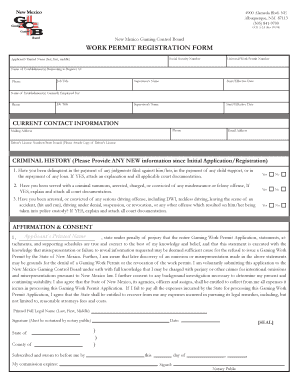
Get New Mexico Permit
How it works
-

Open form follow the instructions
-

Easily sign the form with your finger
-

Send filled & signed form or save
How to fill out the New Mexico permit online
This guide provides clear, step-by-step instructions for completing the New Mexico work permit registration form online. Designed for users of all backgrounds, it ensures that you understand each section and field as you proceed.
Follow the steps to complete your application accurately.
- Click ‘Get Form’ button to access the work permit registration form and open it for editing.
- Enter your social security number in the designated field to provide your identification.
- Fill in your printed name, listing your last name first, followed by your first and middle names.
- Include your universal work permit number if available, or leave it blank if you are applying for the first time.
- List the name of the establishment(s) where you are applying to register, along with their phone number, in the appropriate fields.
- Provide your job title and the name of your supervisor, including their start or effective date of employment.
- If you are currently employed, repeat the previous step for the establishment(s) you are currently working for.
- Fill out your current contact information, including phone number, mailing address, and email address.
- Input your driver’s license number and attach a copy of your driver’s license as required.
- Respond to the criminal history questions by selecting 'Yes' or 'No' for each inquiry. Attach supporting documentation for any 'Yes' responses.
- In the affirmation and consent section, print your name, sign the form, and ensure that your signature is notarized by a notary public.
- After reviewing the completed form for accuracy, save your changes, download, print, or share the form as necessary.
Complete your New Mexico permit application online now for a streamlined process.
Related links form
Log in to VRS, then follow step-by-step screens to enter owner, vehicle, and insurance information. No additional software is required. VRS is 100% web-based so all you need to get started is a computer with Internet access and a printer. The system generates a temp tag with all relevant owner and vehicle information.