Loading
Get Nws Correspondence Manual - Multiple Choices - Noaa - Nws Noaa
How it works
-

Open form follow the instructions
-

Easily sign the form with your finger
-

Send filled & signed form or save
How to use or fill out the NWS Correspondence Manual - Multiple Choices - NOAA - Nws Noaa online
Filling out the NWS Correspondence Manual - Multiple Choices online is essential for ensuring consistent and effective communication within NOAA. This guide provides a clear, step-by-step approach to help users complete the document accurately and efficiently.
Follow the steps to fill out the NWS Correspondence Manual online.
- Press the ‘Get Form’ button to access the form and open it in your desired editor.
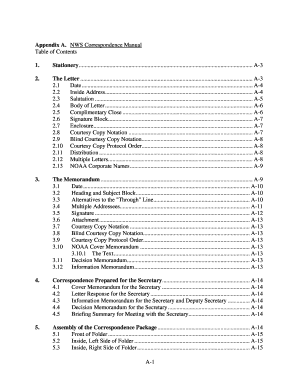
- Begin by reviewing the table of contents to familiarize yourself with the structure of the manual, which includes sections on stationery, letters, memorandums, and correspondence packages.
- When filling out the letter section, start with the date. Position the date above the inside address, ensuring it is clear and legible.
- Type the inside address aligned with the left margin, including the recipient's title, full name, and organization details as specified.
- Add the salutation two lines below the inside address, ensuring it follows the formal format and uses the appropriate title.
- Draft the body of the letter clearly and concisely, following the guidelines for paragraph spacing and structure as outlined in the manual.
- Conclude the letter with a complimentary close, followed by the signature block aligned correctly beneath it, as described in the manual.
- If applicable, include any enclosures or courtesy copies, making sure to format these according to the guide's specifications.
- Once the letter or memorandum is completed, save your changes and prepare it for distribution. You may download, print, or share it as needed.
Start filling out documents online to ensure efficient communication with NOAA today!
Based on how long you were a Facebook user, Meta notes that the settlement administrator will award one point for each month you had an activated account. The administrator will then add up all the points assigned to all valid claimants and divide the net settlement amount by that total number of points.
Industry-leading security and compliance
US Legal Forms protects your data by complying with industry-specific security standards.
-
In businnes since 199725+ years providing professional legal documents.
-
Accredited businessGuarantees that a business meets BBB accreditation standards in the US and Canada.
-
Secured by BraintreeValidated Level 1 PCI DSS compliant payment gateway that accepts most major credit and debit card brands from across the globe.