Loading
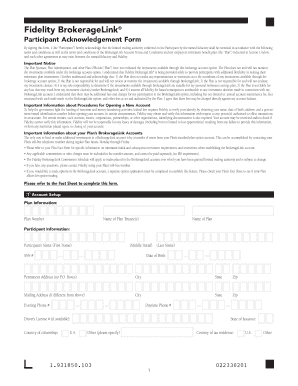
Get Brokeragelink Application - Union
How it works
-

Open form follow the instructions
-

Easily sign the form with your finger
-

Send filled & signed form or save
How to fill out the BrokerageLink Application - Union online
This guide provides a detailed overview of how to complete the BrokerageLink Application - Union form online. Whether you are a new participant or updating your information, following these instructions will help ensure a smooth application process.
Follow the steps to successfully complete your application form.
- Click ‘Get Form’ button to obtain the BrokerageLink Application - Union form and open it in your document editor.
- Enter your plan information in the specified fields, including the Plan Number and the Name of Plan Trustee(s). Ensure that all details match your employer's retirement plan documentation.
- Provide your personal information as a participant. You'll need to fill in your Full Name (First Name, Middle Initial, Last Name), Social Security Number (SSN), Date of Birth, and both Permanent and Mailing Addresses.
- Indicate your Daytime and Evening Phone Numbers. If available, include your Driver’s License Number and specify your Country of Citizenship and State of Issuance.
- For foreign citizens, attach a photocopy of a government-issued identification, including your Place of Birth and Immigration Status.
- Complete your Employment Information. Indicate your Employment Status (Employed, Not Employed, Retired, or Self-Employed), and provide your Occupation, Employer’s Name, and Address.
- If applicable, check the box to disclose any associations with a stock exchange or broker-dealer. Include necessary documentation, such as a compliance officer’s letter, if required.
- Fill out the Financial Profile section. Select your Annual Income, Estimated Net Worth, Estimated Liquid Net Worth, Federal Tax Bracket, and investment objective.
- Review additional information on Dividend Reinvestment and Beneficiaries. Confirm that your retirement plan account beneficiary also applies to your BrokerageLink account.
- After completing all sections, review the entire form for accuracy, then proceed to the Signature section. Sign and date the application to confirm your consent to the terms.
- Finally, save changes, download a copy, or print the form as needed for your records. Ensure that the completed form is submitted as per your plan's instructions.
Complete your BrokerageLink Application - Union form online now.
Zero account minimums and zero account fees apply to retail brokerage accounts only. Expenses charged by investments (e.g., funds, managed accounts, and certain HSAs) and commissions, interest charges, or other expenses for transactions may still apply. See Fidelity.com/commissions for further details.