Loading
Get Observation Hours
How it works
-

Open form follow the instructions
-

Easily sign the form with your finger
-

Send filled & signed form or save
How to fill out the Observation Hours online
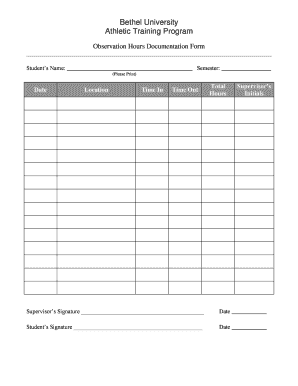
Completing the Observation Hours documentation form is an essential step in tracking your training experience. This guide provides clear instructions on how to accurately fill out the form online to ensure a smooth process.
Follow the steps to complete your Observation Hours form effectively.
- Click ‘Get Form’ button to obtain the form and open it in the editor.
- Begin by entering your name in the designated field labeled 'Student’s Name.' Make sure to print clearly to avoid any confusion.
- Next, indicate the semester of your observation hours. This helps to organize your records and may be critical for academic reviews.
- In the 'Date' section, input the specific date of your observation. Accurate recording of dates is crucial for your documentation.
- Fill in the 'Location' field with the name of the facility where the observation took place. This provides a clear reference for your experience.
- Record the 'Time In' and 'Time Out' for your observation. Ensure that the times are precise to calculate the total hours correctly.
- Calculate and fill in the 'Total Hours' based on your 'Time In' and 'Time Out.' Double-check your math to ensure accuracy.
- Obtain your supervisor’s initials and signature in the designated sections, confirming their acknowledgment of your observation hours.
- Lastly, sign and date the form as the student, affirming that all information is complete and truthful.
- Once you have filled out all sections, ensure that you save your changes. You can choose to download, print, or share the completed form as needed.
Complete your Observation Hours documentation online today!
— As for observation hours, once you submit your application, you cannot edit or remove observation hours; however, you can add new ones. 5. Add optional documents to programs that you already submitted to (all other sections will be locked).