Loading
Get Common Data Set 2012-2013 - Bay Path College
How it works
-

Open form follow the instructions
-

Easily sign the form with your finger
-

Send filled & signed form or save
How to fill out the Common Data Set 2012-2013 - Bay Path College online
Filling out the Common Data Set (CDS) for Bay Path College is an essential step for collecting and reporting critical information about the institution. This guide provides comprehensive instructions to help users complete the CDS 2012-2013 effectively, ensuring that all necessary information is captured accurately.
Follow the steps to fill out the Common Data Set.
- Press the ‘Get Form’ button to obtain the Common Data Set document and open it in your chosen document editor.
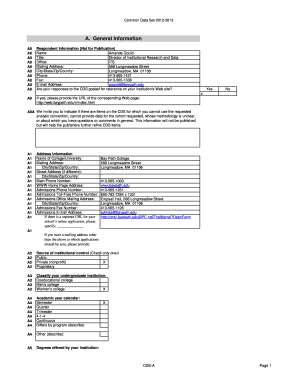
- In Section A, provide general information about the institution, including the name, mailing address, and contact information. Ensure that you accurately list the admissions email address and official website.
- In Section B, document enrollment and persistence by entering the number of students enrolled categorized by gender and academic program as per the official reporting date. Include data on degrees awarded during the specified period.
- Proceed to Section C, which covers first-time, first-year admissions. Input the number of applicants, admitted students, and those who enrolled. Specify the criteria for admissions and the related policies regarding application deadlines and fees.
- Complete Section D by indicating information about transfer admissions, including the number of transfer students, application requirements, and credits that can be transferred.
- For Section E, outline academic offerings and special programs available at Bay Path College, noting any distance learning options and co-curricular activities.
- In Section F, provide information regarding student life, including housing options and percentages of students involved in various extracurricular activities.
- Move to Section G to include financial details about tuition, required fees, and estimated expenses for students.
- Complete Section H, focusing on financial aid by reporting the amounts awarded in various categories and providing the number of students who received aid.
- Fill out Section I, reporting on instructional faculty and the ratio of students to faculty. This section aims to highlight the academic support structure.
- Finally, in Section J, detail the degrees conferred by the college between July 1, 2011, and June 30, 2012, ensuring to report accurately by academic discipline.
- Once all sections are completed, review the entire document for accuracy. After verifying the information, you can save changes, download the completed form, print it, or share it with necessary stakeholders.
Begin the process now by filling out the Common Data Set online to ensure your institution's data is accurately represented.
Example: I, Jane Smith, swear that the information in my sworn statement is truthful to the best of my knowledge and understanding. Your statement of truth must be in the first person and you need to identify yourself in it. Keep it short and sweet.
Industry-leading security and compliance
US Legal Forms protects your data by complying with industry-specific security standards.
-
In businnes since 199725+ years providing professional legal documents.
-
Accredited businessGuarantees that a business meets BBB accreditation standards in the US and Canada.
-
Secured by BraintreeValidated Level 1 PCI DSS compliant payment gateway that accepts most major credit and debit card brands from across the globe.