Loading
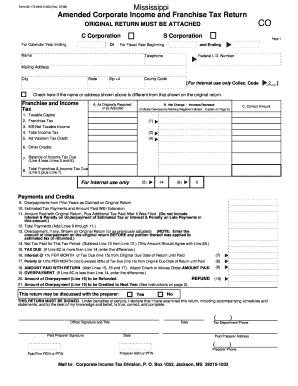
Get Form 83-170-06-8-2-000 (rev - Dor Ms
How it works
-

Open form follow the instructions
-

Easily sign the form with your finger
-

Send filled & signed form or save
How to use or fill out the Form 83-170-06-8-2-000 (Rev - Dor Ms online
This guide provides clear and detailed instructions on how to complete the Form 83-170-06-8-2-000 (Rev - Dor Ms) online. The process is designed to be straightforward, ensuring all users can successfully navigate the form's requirements.
Follow the steps to effectively fill out the form online.
- Press the ‘Get Form’ button to obtain the form and open it in your preferred editing application.
- Fill out the header section with your name, mailing address, and telephone number. Ensure that the information matches the details on the original return.
- Indicate whether your name or address has changed by checking the applicable box.
- Complete the franchise and income tax section by accurately reporting the amounts in each designated field, clearly differentiating between what was originally reported, any net changes, and the correct amounts.
- Proceed to outline your payments and credits, detailing all applicable amounts from prior years, estimated taxes, and any payments made.
- Thoroughly fill out the section regarding overpayments, detailing any amounts that are to be refunded or credited towards future tax periods.
- Review the declaration section to verify that all information is correct. Ensure it is signed and dated by the appropriate persons.
- Once completed, save your changes, and options will be available to download, print, or share the form as needed.
Start completing your Form 83-170-06-8-2-000 online today.
To check the status of your Mississippi state refund online, go to https://tap.dor.ms.gov/?link=RefundStatus. Then, click “Search” to see your refund status. For specific telephone numbers, refer to the Mississippi Department of Revenue Contact Us page.