Loading
Get Lic 610e
How it works
-

Open form follow the instructions
-

Easily sign the form with your finger
-

Send filled & signed form or save
How to fill out the Lic 610e online
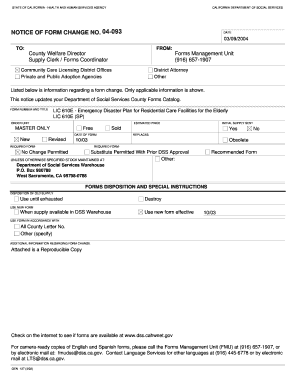
The Lic 610e, also known as the Emergency Disaster Plan for Residential Care Facilities for the Elderly, is an essential document designed to assist facilities in preparing for emergencies. This guide will provide comprehensive, step-by-step instructions on how to fill out the Lic 610e online, ensuring you meet all regulatory requirements.
Follow the steps to successfully complete the Lic 610e online.
- Click ‘Get Form’ button to obtain the form and open it in the editor.
- Begin by entering the name of the facility. This information identifies the residential care facility that the plan corresponds to.
- Next, fill in the name of the administrator of the facility. This individual is responsible for the plan and its implementation.
- Provide the facility's address, including the number, street, city, state, and zip code. Accurate contact information is crucial for emergency services.
- List the facility's telephone and fax numbers, as well as a cell phone number for the administrator. These numbers should allow for quick communication during an emergency.
- In section I, assign specific staff members to key emergency roles, such as evacuation leadership and first aid. You can use the reverse side of the form if more space is needed.
- In section II, list emergency names and telephone numbers, including local fire services, police, and medical contacts. This information is vital for coordinating assistance during a disaster.
- Document the facility's exit locations in section III. Indicate exits using a copy of the facility sketch to ensure clear evacuation paths.
- If applicable, list temporary relocation sites in section IV, including names and addresses, along with permission letters from property owners.
- In section V, specify utility shut-off locations and indicate these on the facility sketch as necessary.
- Identify the locations of essential emergency equipment such as first aid kits and automatic external defibrillators (AEDs) in sections VI and VII.
- For section VIII, detail the locations of smoke detectors, fire extinguishers, and any fire alarm devices required for safety compliance.
- Finally, complete the affirmation statement in section IX. The administrator must sign and date this section to verify their commitment to the emergency plan.
- After filling out all required fields, review the form for accuracy. Users can save changes, download, print, or share the form as needed.
We encourage you to complete the Lic 610e online to ensure your facility is prepared for emergencies.
How to remove specific character in Excel Select a range of cells where you want to remove a specific character. Press Ctrl + H to open the Find and Replace dialog. In the Find what box, type the character. Leave the Replace with box empty. Click Replace all.