Loading
Form preview
  • US Legal Forms
  • Form Library
  • More Forms
  • More Uncategorized Forms
  • Open Server

Get Open Server

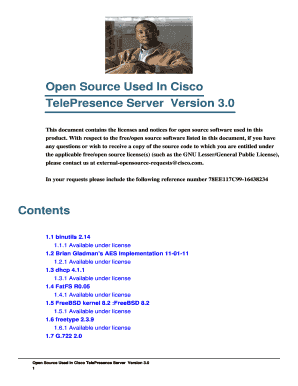
Open Source Used In Cisco TelePresence Server Version 3. 0 This document contains the licenses and notices for open source software used in this product.

How it works

  1. Open form

    Open form follow the instructions

  2. Easily sign form

    Easily sign the form with your finger

  3. Share form

    Send filled & signed form or save

How to fill out the Open Server online

Filling out the Open Server online form can seem daunting, but this comprehensive guide will walk you through each step. Whether you are familiar with digital document management or new to the process, you will find the instructions clear and supportive.

Follow the steps to complete the Open Server form online.

  1. Press the 'Get Form' button to obtain the form and access it in the online environment.
  2. Begin by reviewing the introduction section of the form. It typically outlines the purpose of the Open Server and provides essential context for its use.
  3. Fill in the required fields marked with an asterisk (*). These usually include personal information such as your name, email address, and organization.
  4. Complete any additional sections that are relevant to your submission. This may include details about your intended use of the Open Server.
  5. Carefully review all the information you have provided. Ensure that everything is accurate and complete to avoid delays in processing.
  6. Once you are satisfied with the information on the form, you can save your changes, download a copy, or print it directly.
  7. Finally, submit your completed form as directed, ensuring that you follow any specific submission guidelines provided.

Start filling out your Open Server document online now to streamline your processes.

Get form

Experience a faster way to fill out and sign forms on the web. Access the most extensive library of templates available.
Get form

Related content

Critical Vulnerabilities
Critical Vulnerability. Open X Servers. An open X server is one which accepts X client...
Learn more
Option 1: Use the Python localhost Server...
Open a command line to see if Python is installed. On Windows, search Command Prompt, then...
Learn more
AU20004P001_SCO_Open ... - UserManual.wiki
AU20004P001_SCO_Open Server_Performance_Guide_May95 AU20004P001 SCO Open Server...
Learn more

Related links form

Mediation Intake Form Application For Interview Form - Lanier Technical College - Laniertech 2020 Gramatica Limba Engleza Pdf 2020 Breastfeeding Log

Questions & Answers

Get answers to your most pressing questions about US Legal Forms API.

Contact support

The three main types of servers are file servers, application servers, and web servers. File servers store and manage files for users on a network, while application servers provide access to applications hosted on the server. Web servers deliver web content to users over the internet. Understanding these types can help you choose the right open server solution that fits your specific requirements.

Opening a Windows server involves several straightforward steps. First, ensure that you have the necessary licenses and software installed. Then, access the server manager, where you can configure your server settings and install roles as needed. For a more efficient setup, consider utilizing online resources or platforms like US Legal Forms to guide you through the process.

OSPanel is a user-friendly software package that simplifies the management of an open server environment. It provides a complete solution for developing and testing web applications on your local machine. With OSPanel, you can set up an open server quickly, enabling you to focus on building your projects rather than dealing with complex configurations. This tool is an excellent choice for developers looking to streamline their workflow.

An open server platform refers to a system that allows users to run applications and services without restrictions. This flexibility encourages innovation and collaboration among developers. Open server platforms typically support a variety of tools and technologies, making them easier to integrate with existing systems. By choosing an open server, you can customize your environment to suit your specific needs.

An 'Open Server' refers to a server that allows users to access its services freely. This term often highlights transparency, flexibility, and accessibility in server management. Understanding what an Open Server entails helps you make informed decisions, and US Legal Forms provides valuable insights to support your journey in utilizing these servers effectively.

To open a server, start by selecting the type of server you wish to create. Next, set up the necessary software and configurations on your chosen platform. US Legal Forms can assist you with templates and legal forms that simplify the setup process, making it easier for you to get your Open Server running efficiently.

Entering an Open Server typically involves using remote access tools or client applications. You will need the server's IP address and login credentials to connect successfully. With the right guidance, such as that provided by US Legal Forms, you can navigate this process smoothly and access your server without hassle.

To open a server, you first need to choose the right platform for your needs. After selecting your hosting provider, you will set up your server environment by installing necessary software and configurations. US Legal Forms offers resources to guide you through the technical aspects, ensuring you can easily open your server with confidence.

To open a server file, first ensure you have the necessary permissions to access the file on the Open Server. Use a file management tool or connect through a network share to navigate to the file's location. Once you locate the file, double-click it to open it with the appropriate application. If you encounter any issues, consider using US Legal Forms to access legal documents that can assist with file management and permissions.

You can see files open on the server by utilizing the Windows Server Manager or the command line. In Windows Server Manager, go to 'Shared Folders' and then 'Open Files' to view the active connections. Alternatively, you can run the 'net file' command in the command prompt to list all open files and their associated users. This approach allows you to monitor your Open Server's file access efficiently.

Get This Form Now!

Use professional pre-built templates to fill in and sign documents online faster. Get access to thousands of forms.
Get form
If you believe that this page should be taken down, please follow our DMCA take down processhere.

Industry-leading security and compliance

US Legal Forms protects your data by complying with industry-specific security standards.
  • In businnes since 1997
    25+ years providing professional legal documents.
  • Accredited business
    Guarantees that a business meets BBB accreditation standards in the US and Canada.
  • Secured by Braintree
    Validated Level 1 PCI DSS compliant payment gateway that accepts most major credit and debit card brands from across the globe.
Get Open Server
Get form
Form Packages
Adoption
Bankruptcy
Contractors
Divorce
Home Sales
Employment
Identity Theft
Incorporation
Landlord Tenant
Living Trust
Name Change
Personal Planning
Small Business
Wills & Estates
Packages A-Z
Form Categories
Affidavits
Bankruptcy
Bill of Sale
Corporate - LLC
Divorce
Employment
Identity Theft
Internet Technology
Landlord Tenant
Living Wills
Name Change
Power of Attorney
Real Estate
Small Estates
Wills
All Forms
Forms A-Z
Form Library
Customer Service
Your Privacy Choices
Terms of Service
Privacy Notice
Legal Hub
Content Takedown Policy
Bug Bounty Program
About Us
Help Portal
Legal Resources
Blog
Affiliates
Contact Us
Delete My Account
Site Map
Industries
Forms in Spanish
Localized Forms
State-specific Forms
Forms Kit
Legal Guides
Real Estate Handbook
All Guides
Prepared for You
Notarize
Incorporation services
Our Customers
For Consumers
For Small Business
For Attorneys
Our Sites
US Legal Forms
USLegal
FormsPass
pdfFiller
signNow
altaFlow
DocHub
Instapage
Social Media
Call us now toll free:
+1 833 426 79 33
As seen in:
  • USA Today logo picture
  • CBC News logo picture
  • LA Times logo picture
  • The Washington Post logo picture
  • AP logo picture
  • Forbes logo picture
© Copyright 1997-2026
airSlate Legal Forms, Inc.
3720 Flowood Dr, Flowood, Mississippi 39232
Form Packages
Adoption
Bankruptcy
Contractors
Divorce
Home Sales
Employment
Identity Theft
Incorporation
Landlord Tenant
Living Trust
Name Change
Personal Planning
Small Business
Wills & Estates
Packages A-Z
Form Categories
Affidavits
Bankruptcy
Bill of Sale
Corporate - LLC
Divorce
Employment
Identity Theft
Internet Technology
Landlord Tenant
Living Wills
Name Change
Power of Attorney
Real Estate
Small Estates
Wills
All Forms
Forms A-Z
Form Library
Customer Service
Your Privacy Choices
Terms of Service
Privacy Notice
Legal Hub
Content Takedown Policy
Bug Bounty Program
About Us
Help Portal
Legal Resources
Blog
Affiliates
Contact Us
Delete My Account
Site Map
Industries
Forms in Spanish
Localized Forms
State-specific Forms
Forms Kit
Legal Guides
Real Estate Handbook
All Guides
Prepared for You
Notarize
Incorporation services
Our Customers
For Consumers
For Small Business
For Attorneys
Our Sites
US Legal Forms
USLegal
FormsPass
pdfFiller
signNow
altaFlow
DocHub
Instapage
Social Media
Call us now toll free:
+1 833 426 79 33
As seen in:
  • USA Today logo picture
  • CBC News logo picture
  • LA Times logo picture
  • The Washington Post logo picture
  • AP logo picture
  • Forbes logo picture
© Copyright 1997-2026
airSlate Legal Forms, Inc.
3720 Flowood Dr, Flowood, Mississippi 39232