Loading
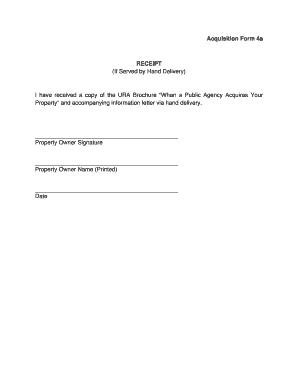
Get Acquisition Form 4a Receipt (if Served By Hand Delivery) I Have ... - In
How it works
-

Open form follow the instructions
-

Easily sign the form with your finger
-

Send filled & signed form or save
How to fill out the Acquisition Form 4a RECEIPT (If Served By Hand Delivery) online
This guide provides clear instructions on completing the Acquisition Form 4a RECEIPT, which is used to acknowledge receipt of the URA Brochure when served by hand delivery. By following these steps, you can efficiently fill out the form online, ensuring that all required information is accurately captured.
Follow the steps to complete the Acquisition Form 4a RECEIPT online
- Click the ‘Get Form’ button to access the form and open it in your preferred editor.
- Locate the section labeled 'Property Owner Signature' and provide your signature. This confirms that you have received the necessary materials.
- In the field for 'Property Owner Name (Printed)', clearly print your full name as the property owner.
- Find the 'Date' field and enter the date on which you received the brochure and accompanying information letter.
- Once you have completed all sections, review your entries for accuracy, then save your changes. You may choose to download, print, or share the filled form as needed.
Complete your documents online for convenience and efficiency.
Industry-leading security and compliance
US Legal Forms protects your data by complying with industry-specific security standards.
-
In businnes since 199725+ years providing professional legal documents.
-
Accredited businessGuarantees that a business meets BBB accreditation standards in the US and Canada.
-
Secured by BraintreeValidated Level 1 PCI DSS compliant payment gateway that accepts most major credit and debit card brands from across the globe.