Loading
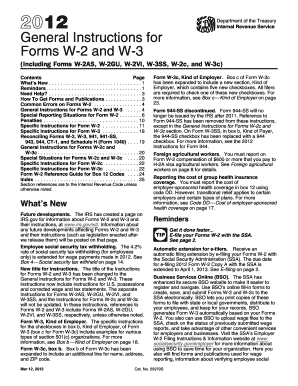
Get 2012 Instruction W-2 & W-3. Instructions For Forms W-2 And W-3, Wage And Tax Statement &
This website is not affiliated with IRS
How it works
-

Open form follow the instructions
-

Easily sign the form with your finger
-

Send filled & signed form or save
How to fill out the 2012 Instruction W-2 & W-3 Forms for wage and tax statements online
This guide provides clear and concise instructions on how to effectively fill out the 2012 Instruction W-2 and W-3 forms, utilized for reporting wages and tax information. Whether you are an employer or a payroll administrator, this step-by-step approach will help streamline the completion process.
Follow the steps to complete the W-2 and W-3 forms correctly.
- Click the 'Get Form' button to obtain the form and open it in your editing tool.
- In box a, enter the employee's social security number as it appears on their social security card. Ensure it is accurate to avoid processing issues.
- In box b, provide the Employer Identification Number (EIN) assigned by the IRS. This number must match the one used on your IRS employment tax returns.
- Provide the employer's name, address, and ZIP code in box c. This should be the same as what is shown on the Form 941 or other employment tax forms.
- Enter the employee's name and address in boxes e and f. Ensure it matches with the employee's social security card.
- In box 1, input the total taxable wages and other compensation paid to the employee during the year. Exclude any deferrals or contributions.
- Box 2 should detail the total federal income tax withheld from the employee's wages over the tax year.
- Fill in box 3 for social security wages, making sure it does not exceed the wage base limit for the year.
- Input the Medicare wages and tips in box 5, ensuring accuracy as it is crucial for tax calculations.
- For special cases like tips, indicate in boxes 7 and 8 where appropriate, following specific regulations for reporting.
- Once all relevant sections are completed, review the entire form for accuracy before saving and submitting.
- After reviewing, save changes, download the completed forms, print copies for your records, and submit as necessary.
Complete your forms online today to ensure timely and accurate reporting of employee wages and taxes.
The only way to get an actual copy of your Form W-2 from us is to order a copy of the entire return by using Form 4506, Request for Copy of Tax Return and paying a $43 fee for each return requested. We will waive the fee for taxpayers impacted by a federally declared disaster or a significant fire.
Industry-leading security and compliance
US Legal Forms protects your data by complying with industry-specific security standards.
-
In businnes since 199725+ years providing professional legal documents.
-
Accredited businessGuarantees that a business meets BBB accreditation standards in the US and Canada.
-
Secured by BraintreeValidated Level 1 PCI DSS compliant payment gateway that accepts most major credit and debit card brands from across the globe.