Get Europass Mobility
How it works
-

Open form follow the instructions
-

Easily sign the form with your finger
-

Send filled & signed form or save
How to fill out the Europass Mobility online
The Europass Mobility document is an important tool for recording experiences gained during a mobility period in another European country. This guide provides a clear and supportive step-by-step approach to help you fill out the Europass Mobility online, ensuring that all necessary information is accurately captured.
Follow the steps to successfully complete the Europass Mobility form
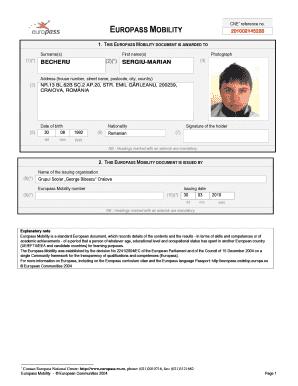
- Press the ‘Get Form’ button to acquire the Europass Mobility form and open it in the online editor.
- Begin by entering your surname in the designated field. Ensure accuracy as this information is mandatory.
- Input your first name in the next field. This is also a required entry.
- Upload a recent photograph in the specified section. Make sure the image meets the required specifications.
- Fill in your complete address, including house number, street name, postcode, city, and country. This field is mandatory.
- Enter your date of birth in the format dd/mm/yyyy.
- Select your nationality from the provided options.
- In the signature section, sign your name to confirm authenticity. This field is also required.
- Next, complete the section detailing the issuing organization. Enter the name of the organization issuing the Europass Mobility document.
- Fill in the Europass Mobility number and the issuing date in the format dd/mm/yyyy.
- Now, provide details about the sending partner organization. Include the name, type, and address of the organization.
- Add the signature or stamp, if applicable, along with the reference person's name and position.
- Document the host partner organization’s information, ensuring that all required details are provided.
- Continue with the description of the Europass Mobility experience, including your professional objectives.
- Indicate the duration of the mobility experience by entering the start and end dates.
- Describe the activities you participated in and the skills you acquired during the experience.
- Finally, add signatures from the reference person and yourself to validate the document.
- After completing all sections, review your entries for accuracy, then save your changes. You can download, print, or share the completed form as needed.
Complete your Europass Mobility document online today to document your important learning experiences.
Filling out the Europass CV PDF is a straightforward process. Start by visiting the Europass website, where you can easily input your personal details, education, work experience, and skills. The platform guides you through each section, ensuring you include all relevant information. Once completed, you can save your CV as a PDF, ready for submission to potential employers.