Loading
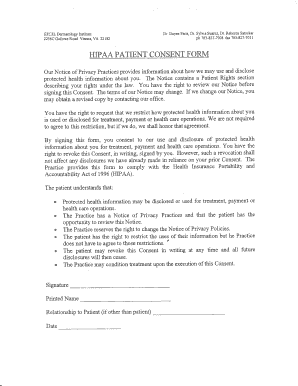
Get Blank Hipaa Authorization Form
How it works
-

Open form follow the instructions
-

Easily sign the form with your finger
-

Send filled & signed form or save
How to fill out the Blank Hipaa Authorization Form online
Filling out the Blank Hipaa Authorization Form online is a crucial step in protecting your health information. This guide provides you with clear, step-by-step instructions to help you complete the form confidently and accurately.
Follow the steps to fill out the Blank Hipaa Authorization Form online.
- Press the ‘Get Form’ button to access the Blank Hipaa Authorization Form and open it in your preferred browser.
- Begin filling out the patient information at the top of the form, including the patient's name, address, and contact details.
- Indicate the person's name or entity to whom the information will be disclosed. This could be a specific provider or organization.
- Specify the purpose of the authorization. Common reasons include treatment, payment, or health care operations.
- Review and understand your rights as stated in the form, including the ability to revoke consent at any time.
- Sign and date the form to provide your consent for the release of your health information.
- If applicable, include the printed name and relationship to the patient for any signers who are not the patient themselves.
- Finally, save changes to the form. You may download, print, or share the completed form as needed.
Start filling out your Blank Hipaa Authorization Form online today to ensure your health information is managed securely.
Yes, you can fill out a Blank HIPAA Authorization Form online through platforms like US Legal Forms. This user-friendly service allows you to easily enter your information without the hassle of paperwork. You can complete the form at your convenience, and even save it for later use or share it electronically. This streamlined process ensures you have a compliant form ready whenever you need it.