Loading
Get Market America Renewal Form
How it works
-

Open form follow the instructions
-

Easily sign the form with your finger
-

Send filled & signed form or save
How to fill out the Market America Renewal Form online
This guide provides a comprehensive walkthrough for users on how to effectively fill out the Market America Renewal Form online. Follow the steps to ensure your application is completed accurately and submitted correctly.
Follow the steps to complete your renewal form smoothly.
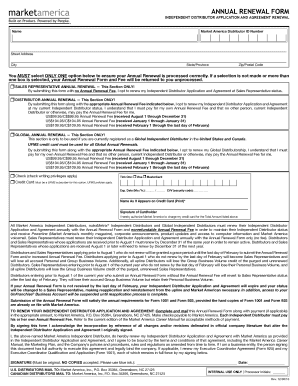
- Press the ‘Get Form’ button to access the Market America Renewal Form and open it in the editor of your choice.
- Begin by entering your name in the designated field. Make sure it matches the name associated with your Market America Distributor ID.
- Fill in your street address, city, state or province, and zip or postal code accurately to ensure proper identification and processing.
- Select only one option regarding your Annual Renewal status. You have the following choices:
- Complete the payment section if applicable. Choose your payment method (check or credit card), providing the necessary details such as credit card number and expiration date. Ensure the name matches what appears on the card.
- Sign the form in blue ink, ensuring your signature is original as no copies will be accepted. Include the date of signing.
- Finally, review all sections of the form for completeness and accuracy. Once confirmed, save your changes, and proceed to download or print the form for your records. If necessary, share it as required.
Complete your Market America Renewal Form online today to maintain your status and benefits.
Earnings with an UnFranchise can vary greatly based on your effort and commitment to the business. Many members report significant income potential through product sales and commissions. As you build your business, you will want to ensure your membership remains active by regularly completing the Market America Renewal Form, which helps you maximize your earning opportunities.