Loading
Get Injury Waiver
How it works
-

Open form follow the instructions
-

Easily sign the form with your finger
-

Send filled & signed form or save
How to fill out the Injury Waiver online
Filling out the Injury Waiver online is a straightforward process that ensures a clear understanding of the risks associated with utilizing facilities. This guide provides detailed instructions on how to complete the form accurately and efficiently.
Follow the steps to successfully complete your Injury Waiver.
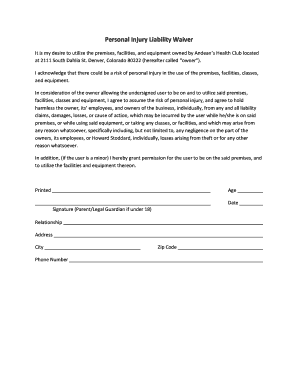
- Press the ‘Get Form’ button to access the Injury Waiver. This will open the form in your online editor for completion.
- Begin by entering your full name in the designated field. Ensure that your name is spelled correctly, as this will be used for identification purposes.
- Provide your age in the proper section. This information is necessary to determine if you are a minor, which may require parental consent on the waiver.
- Fill in the date of completion in the specified area. This indicates when you are signing the waiver, which is important for record-keeping.
- Sign the form in the signature box. If you are a parent or legal guardian signing on behalf of a minor, indicate your relationship in the appropriate field.
- Enter your address, including the city, zip code, and phone number, in the relevant fields. Accurate contact information is essential for any follow-up that may be needed.
- After ensuring all fields are filled out correctly, you can save changes to the form. Options to download, print, or share the completed Injury Waiver will be available to you.
Complete your Injury Waiver online today to ensure a smooth experience at the facility.
An injury waiver can potentially stop you from suing, but this is not guaranteed. If the waiver is enforceable, it may prevent legal action for injuries sustained during the activity covered by the waiver. However, if there are grounds for negligence or if the waiver fails to meet legal standards, you may still have the right to pursue a lawsuit.