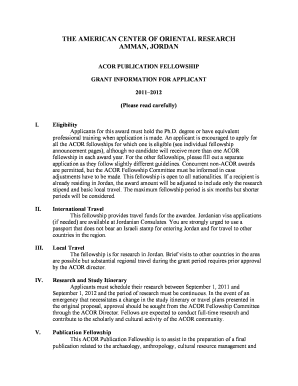
Get Printable Application (pdf) - Boston University - Bu
How it works
-

Open form follow the instructions
-

Easily sign the form with your finger
-

Send filled & signed form or save
How to use or fill out the Printable Application (pdf) - Boston University - Bu online
Filling out the Printable Application for Boston University online can be a straightforward process when guided by clear instructions. This guide aims to provide comprehensive assistance to ensure that all users, regardless of their experience level, can complete the application successfully.
Follow the steps to fill out your application effectively.
- Press the ‘Get Form’ button to obtain the application form. This will allow you to download and open it in your preferred PDF editor.
- Begin by filling out your personal information in the designated fields, including your name, address, and contact details.
- Indicate your academic status. Specify whether you are a post-doctoral scholar, currently employed, or in another role by selecting the appropriate options.
- Outline your research project by providing the specific dates and a brief summary. Be sure to include important details such as the title and duration of the project.
- Detail your academic history and qualifications by listing the institutions you have attended and the degrees you have earned. Include relevant experiences and accomplishments.
- Complete the financial resources section where you list any additional funding sources you have applied for or received, along with how you will finance your research.
- Prepare to submit your letters of recommendation. Ensure they are sent directly to the ACOR Fellowship Committee as required.
- Once you have filled in all necessary fields and reviewed your application for accuracy, save your changes. You will then have the option to download, print, or share the completed form.
Complete your application online today and take the next step towards your fellowship opportunity!
To access the BU applicant portal, you need to visit the Boston University website and navigate to the admissions section. From there, you will find the link to the portal, where you'll need to enter your credentials. This portal allows you to track your application status and manage your documents easily. Don't forget to check for the Printable Application (pdf) - Boston University - Bu to ensure you have all necessary information ready.
Industry-leading security and compliance
-
In businnes since 199725+ years providing professional legal documents.
-
Accredited businessGuarantees that a business meets BBB accreditation standards in the US and Canada.
-
Secured by BraintreeValidated Level 1 PCI DSS compliant payment gateway that accepts most major credit and debit card brands from across the globe.