Loading
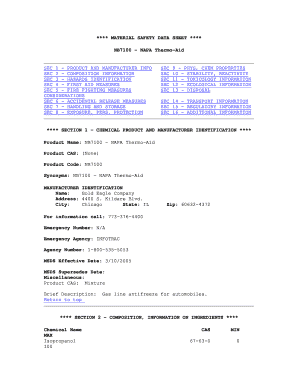
Get Mac's Thermo Aid
How it works
-

Open form follow the instructions
-

Easily sign the form with your finger
-

Send filled & signed form or save
How to fill out the Mac's Thermo Aid online
This guide provides clear, step-by-step instructions for successfully completing the Mac's Thermo Aid form. Whether you are familiar with online document management or are new to the process, this guide is designed to assist you in navigating the form with ease.
Follow the steps to complete the Mac's Thermo Aid form.
- Click ‘Get Form’ button to obtain the document and access it in your chosen online editor.
- Fill in Section 1 with product information. This includes the product name 'NB7100 - NAPA Thermo-Aid', product code 'NB7100', and manufacturer's contact details including name, address, and emergency contact information.
- In Section 2, provide composition information. Include the chemical name, maximum concentration, and CAS number for isopropanol.
- For Section 3, indicate hazards related to the product, detailing potential health effects and necessary precautionary measures.
- Complete Section 4 with first aid measures for exposure to the product, including instructions for dealing with eye contact, skin exposure, ingestion, and inhalation.
- Detail fire fighting measures in Section 5. Include flash point, extinguishing media, and any unusual fire hazards.
- Document spill response actions in Section 6, distinguishing between small and large spills.
- Outline handling and storage guidelines in Section 7, ensuring that proper safety protocols are noted.
- Specify exposure controls and personal protective equipment needed in Section 8, including hygiene measures and respiratory protection.
- Fill in Section 9 with physical and chemical properties, including appearance, boiling point, and solubility.
- In Section 10, note the stability and reactivity of the chemical, including any incompatibilities.
- Section 11 typically requires toxicity data; if unavailable, indicate 'No data available'.
- For Section 12, provide ecological information if applicable; otherwise, note absence of data.
- In Section 13, mention disposal considerations, emphasizing adherence to local and federal regulations.
- Complete Section 14 with transport information, such as DOT hazard class and proper shipping name.
- Indicate any regulatory information in Section 15 and summarize in Section 16 with any pertinent disclaimers.
- Once all sections are completed, you can save changes, download, print, or share the completed form.
Start completing the Mac's Thermo Aid form online today!
Related links form
Industry-leading security and compliance
US Legal Forms protects your data by complying with industry-specific security standards.
-
In businnes since 199725+ years providing professional legal documents.
-
Accredited businessGuarantees that a business meets BBB accreditation standards in the US and Canada.
-
Secured by BraintreeValidated Level 1 PCI DSS compliant payment gateway that accepts most major credit and debit card brands from across the globe.