Loading
Get Beth Reeves Musc Form
How it works
-

Open form follow the instructions
-

Easily sign the form with your finger
-

Send filled & signed form or save
How to fill out the Beth Reeves Musc Form online
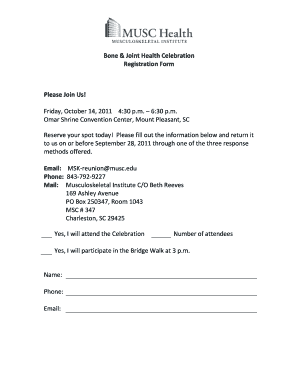
Filling out the Beth Reeves Musc Form online is a straightforward process that ensures your participation in the upcoming Bone & Joint Health Celebration. This guide provides step-by-step instructions to help you complete the registration form efficiently and accurately.
Follow the steps to complete your registration form online.
- Click the ‘Get Form’ button to retrieve the registration form and open it in your preferred online editor.
- Indicate your attendance by selecting 'Yes, I will attend the Celebration.' This confirms your desire to participate in the event.
- Specify the number of attendees joining you. This is crucial for accurate planning and accommodations.
- If you plan to join the Bridge Walk at 3 p.m., please select 'Yes, I will participate in the Bridge Walk.'
- Enter your name in the designated field. Ensure that it matches the name you wish to be used for event identification.
- Provide your phone number to facilitate communication regarding the event.
- Fill in your email address for confirmation and event updates.
- Once all fields are completed, review the information for accuracy. Make any necessary adjustments.
- Save your changes, then choose to download, print, or share the form via email to submit your registration.
Complete your registration online today to secure your spot at the celebration.