Loading
Get Mm6 Wipo
How it works
-

Open form follow the instructions
-

Easily sign the form with your finger
-

Send filled & signed form or save
How to fill out the Mm6 Wipo online
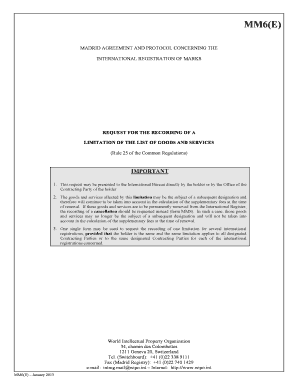
This guide provides a comprehensive overview of how to fill out the Mm6 Wipo form for the recording of a limitation of the list of goods and services. Whether you are an experienced user or new to the process, this step-by-step guide aims to assist you in completing the form accurately and efficiently.
Follow the steps to effectively complete the Mm6 Wipo form.
- Click ‘Get Form’ button to obtain the form and open it in the editor.
- Fill in your international registration number(s) in the designated field. Ensure that the number matches what is recorded in the International Register.
- Enter the name of the holder exactly as recorded in the International Register. This step is crucial for the identification of the party requesting the limitation.
- If there is an appointment of a representative, complete this section with their name, address, telephone, fax, and email address. If no changes are required, skip this step.
- Indicate which Contracting Parties the limitation applies to by checking the appropriate box. You can either select all designated Contracting Parties or specify particular ones.
- List the goods and services that are affected by the limitation. If you need extra space, check the continuation sheet box and provide the additional information there.
- Include the signature of the holder or their representative as recorded in the International Register.
- If applicable, provide the name of the office presenting the request, along with their signature and stamp.
- Complete the fee calculation section. Specify the amount of fees and method of payment. Ensure all payment details are accurate.
- Once all sections are filled out correctly, save your changes, download the form if necessary, and prepare it for submission.
Complete your documents online for a seamless filing experience.
Filing a WIPO application involves completing the required forms available through the WIPO website and submitting them along with the necessary fees. Ensure all information is accurate to avoid delays. By using the Mm6 Wipo tools available on the platform, you can navigate this filing process smoothly, ensuring your application is processed efficiently.
Industry-leading security and compliance
US Legal Forms protects your data by complying with industry-specific security standards.
-
In businnes since 199725+ years providing professional legal documents.
-
Accredited businessGuarantees that a business meets BBB accreditation standards in the US and Canada.
-
Secured by BraintreeValidated Level 1 PCI DSS compliant payment gateway that accepts most major credit and debit card brands from across the globe.